Affiliate-Partner
An affiliate programme lets other people tell others about your courses and earn a commission on each sale they bring in. You invite them with a link, approve them, and pay them yourself. Setting it up takes about ten minutes.
Before you start
- You need to be a creator in the organisation.
- Affiliates earn on paid sales, so you need at least one course with a price, and Stripe connected — see Payments, plans and coupons (a coupon is a code for a lower price).
Sie zahlen Ihren Affiliate-Partnern direkt
Yoshuko nimmt nur seine eigene Gebühr von einem Verkauf, den ein Affiliate mitgebracht hat; die Provision wird nicht abgezogen, also erreicht der volle Betrag Sie und ist Ihnen zu überlassen. Yoshuko macht keine Zahlungen, bearbeitet oder garantiert Affiliate-Zahlungen und stellt keine Steuerformulare für sie aus — Sie sind der Zahler.
Turn on your affiliate programme
- In the creator studio's left-hand menu, choose Affiliate Program. The Share page opens and says Your affiliate program is off.
- Press Turn on affiliate program.
- Open the Settings tab and choose:
- Commission type —
Percentage of each saleor Fixed amount per sale. - Commission rate (a number out of 100, from 0 to 100) or Amount per sale. Sales in another kind of money use the rate out of 100 instead.
Attribution window— how many days (1–365) after clicking an affiliate's link a learner's purchases still earn commission. 60 days is usual for courses.- Terms shown to affiliates before they join — plain text, up to 4,000 characters. Say what kinds of advertising you allow and what you do not.
- Commission type —
- Press Save settings. You see Settings saved.
To pause the programme, switch off Affiliate program is on in the same tab. That stops new tracking and new commission; it never cancels commission already earned.
Invite affiliates
- On Share, open the Invite codes tab.
- Under Create an invite code, fill in
What is this batch for?(what this group of codes is for — for examplePodcast partners) and, if you want, Maximum uses. - Leave Approve everyone who uses this code, automatically not checked if you want to look at each person first. Check it only for partners you already know: their affiliate link goes live the moment they join, and anyone who gets hold of the link can start earning commission on your sales.
- Press Create invite code. The new code appears in the table with its Invite link — press Copy and send it to the people you are inviting.
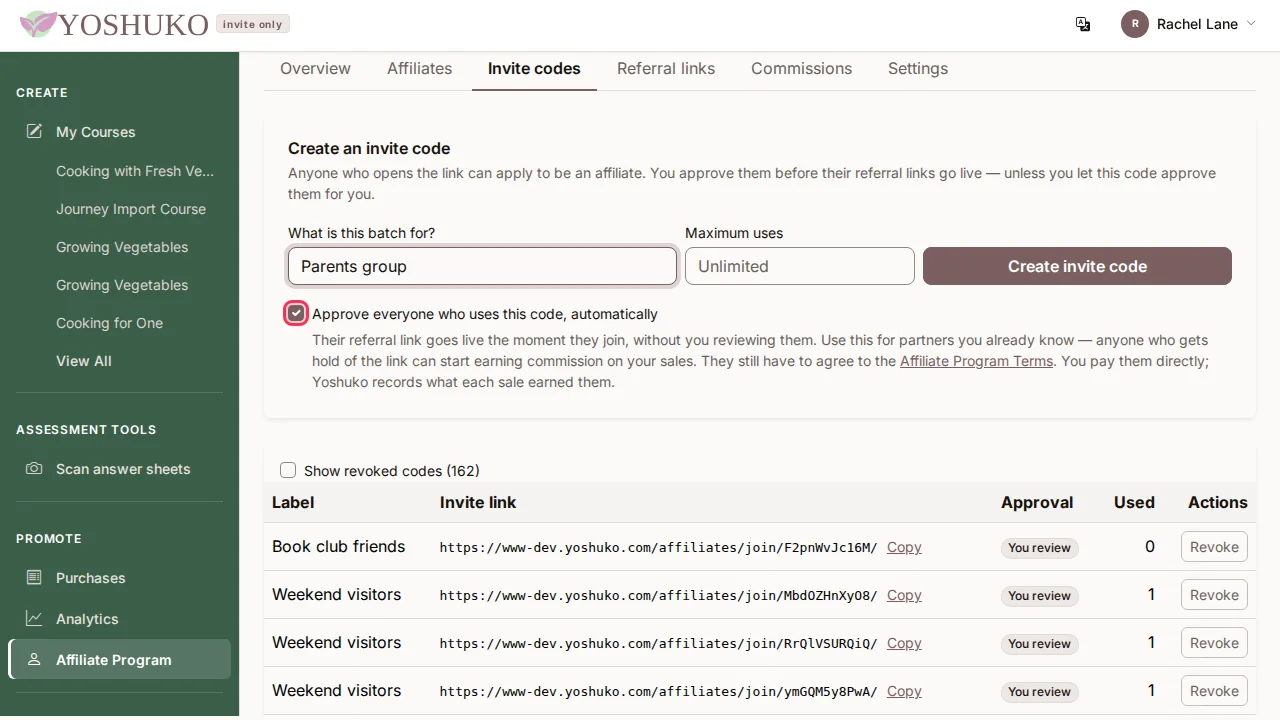
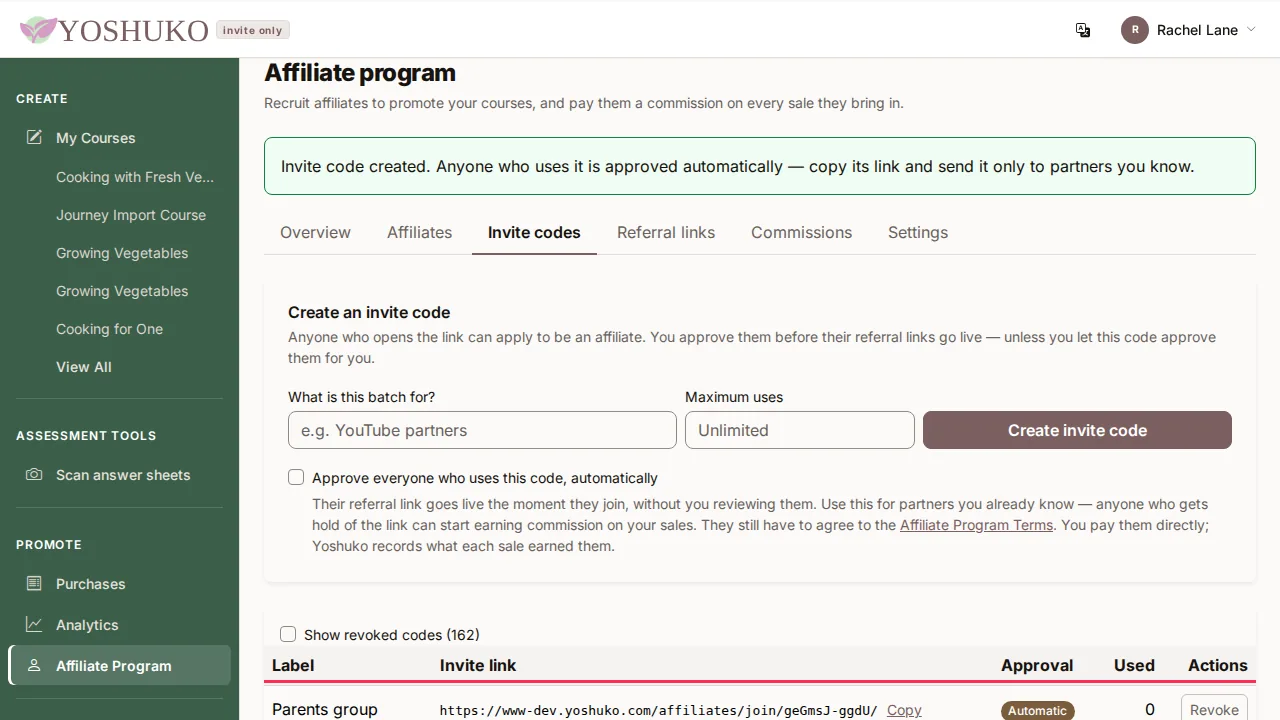
Die Spalte Genehmigung zeigt Sie prüfen oder Automatisch. Drücken Sie Revoke, um
zu stoppen, dass ein Code neue Leute aufnimmt; Affiliate-Partner, die bereits durch ihn beigetreten sind,
halten ihren Platz.
Personen genehmigen, die sich anmelden möchten
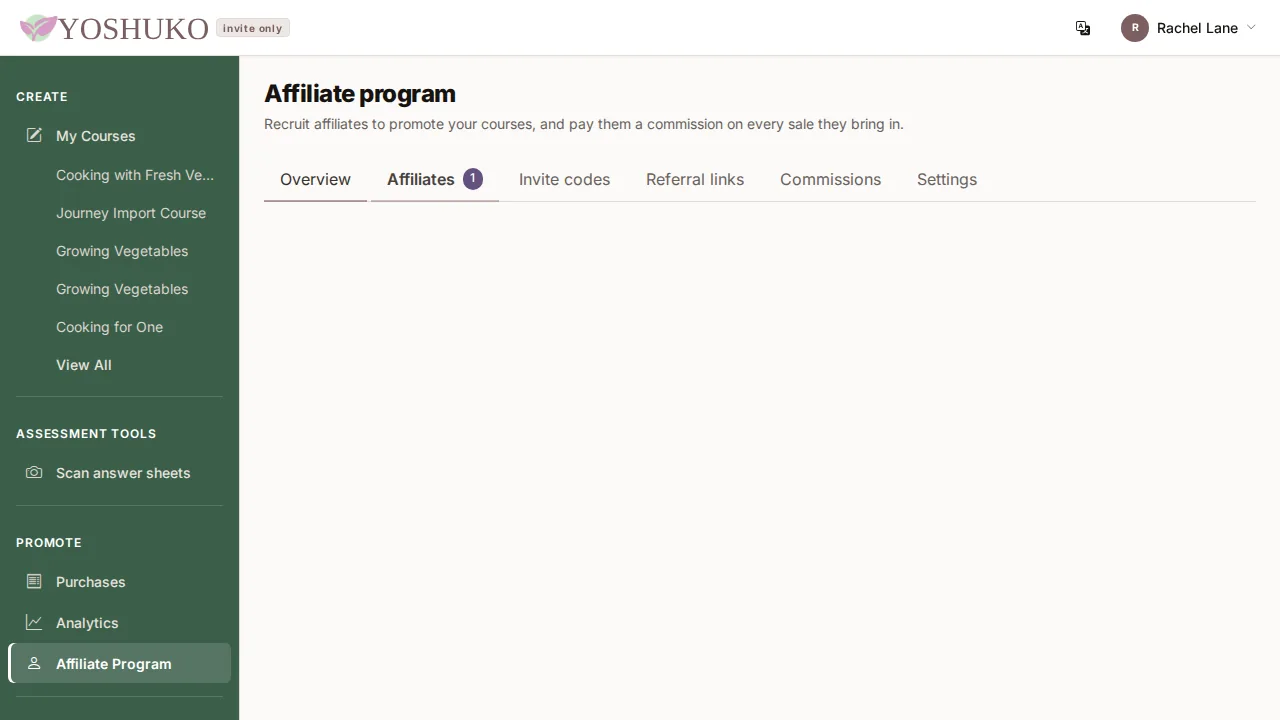
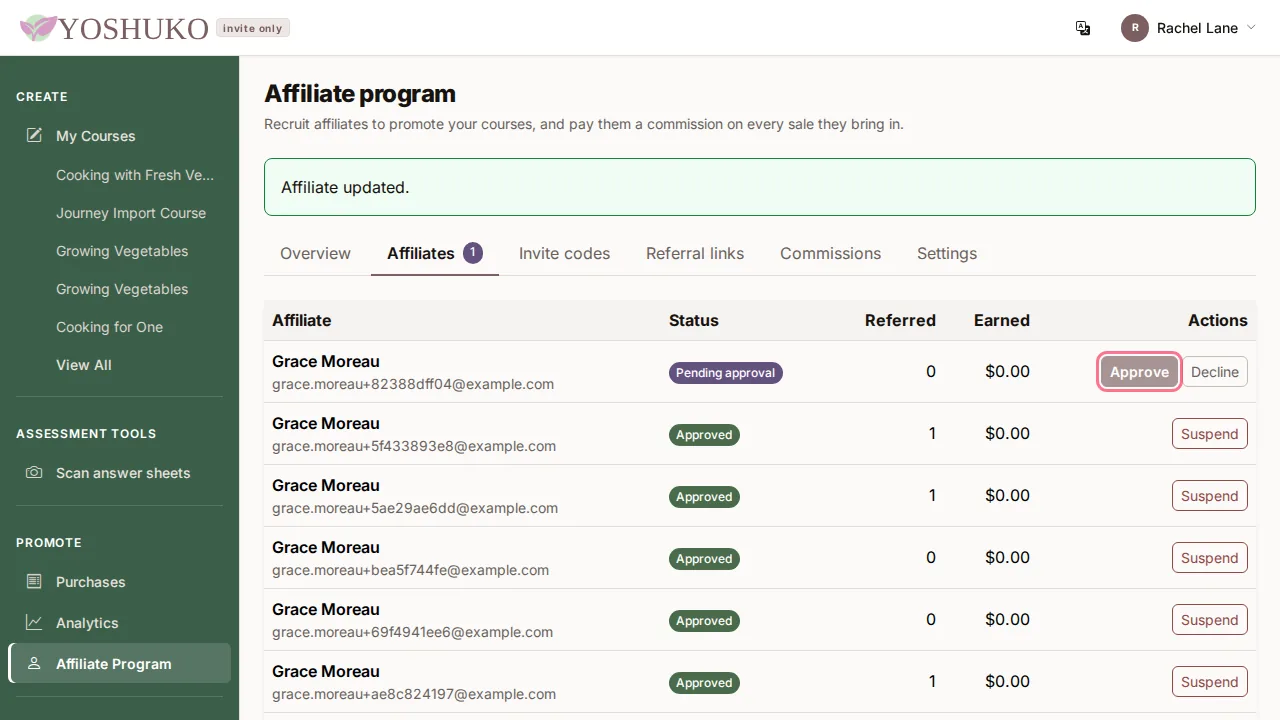
Öffnen Sie die Registerkarte Affiliate-Partner. Eine Zahl auf der Karte zeigt an, wie viele Leute warten. Jede Zeile zeigt den Affiliate, ihren Status, wie viele Lernende sie zu Ihnen geschickt haben und was sie verdient haben.
- A person who is still
pending(waiting): press Approve or Decline. Approving gives them an affiliate link for all your courses straight away. - An approved affiliate: press
Suspendto stop their links working immediately. Commission they have already earned is still owed to them. - An affiliate you stopped or declined: press
Reinstateto let them back in.
Die Registerkarte Referral links listet alle Links auf, die Ihre Affiliate-Partner teilen, was jeder davon
werben tut, und wie viele Leute darauf geklickt und sich angemeldet haben.
Eine andere Provision für einen Kurs festlegen
- Öffnen Sie den Kurs. Im Menü des Kurses unter Promotion wählen Sie Affiliate-Partner.
- Unter Provision für diesen Kurs wählen Sie eine Option:
Use the program default— der Satz aus Ihren Programms-Einstellungen.- Ein anderer Satz — geben Sie den Satz (von 100) für diesen Kurs ein.
- Diesen Kurs vom Programm ausschließen — Personen, die durch Affiliate-Partner zu ihm kommen, werden weiter gezählt, aber verdienen nichts; die Affiliate-Partner erfahren auf ihrem eigenen Bildschirm, warum.
- Drücken Sie Speichern.
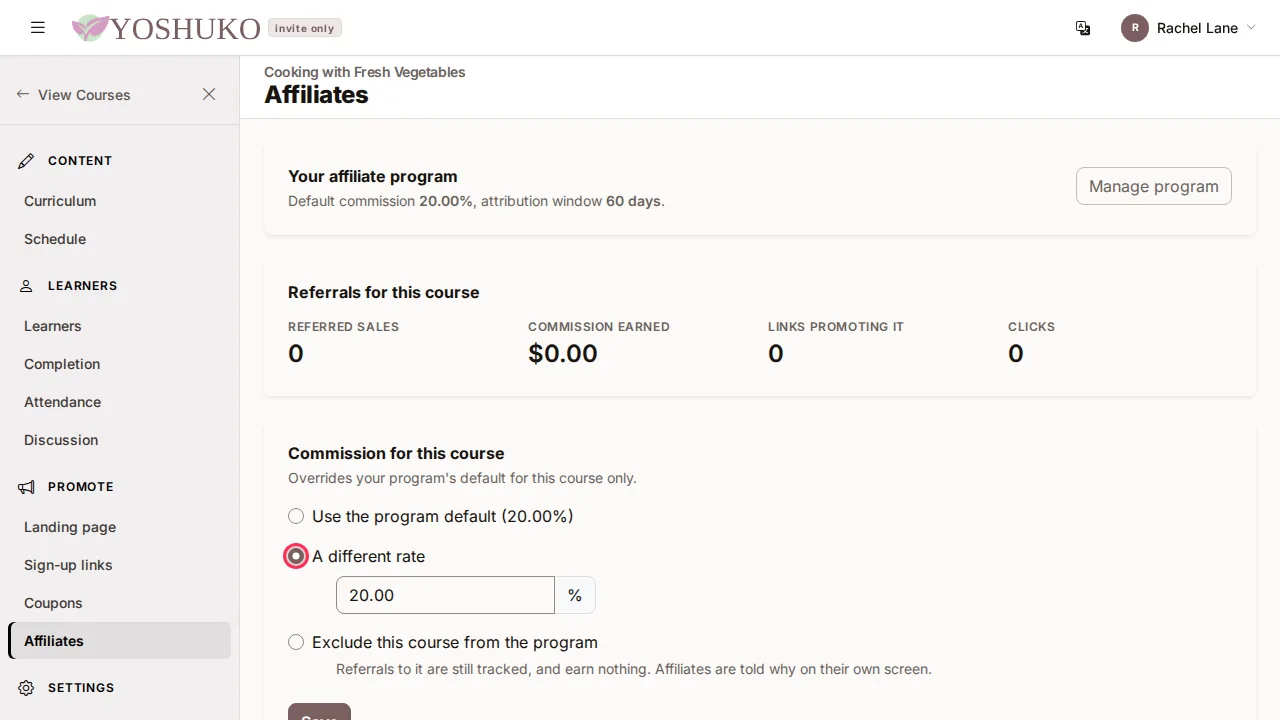
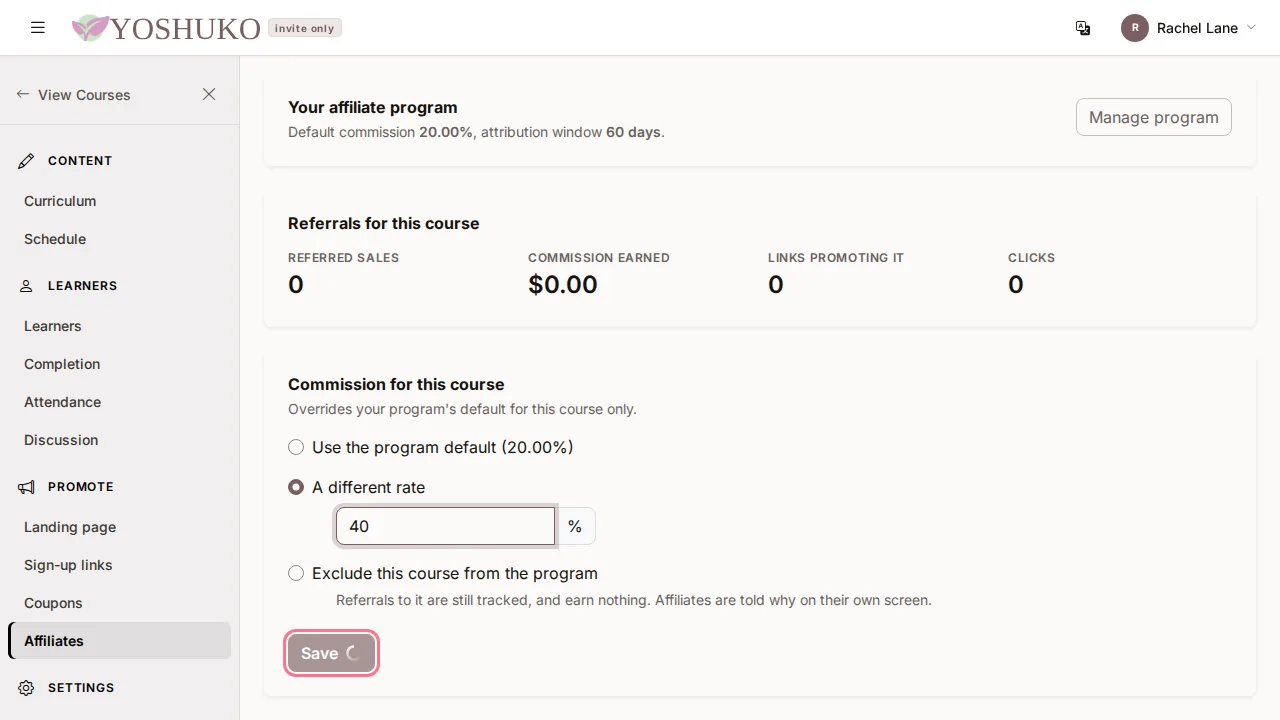
Die gleiche Seite zeigt Referrals for this course an. Andere Kurse behalten die Haupt-Rate des
Programms und folgen ihr, falls Sie sie später ändern.
Verfolgen, was Sie schulden
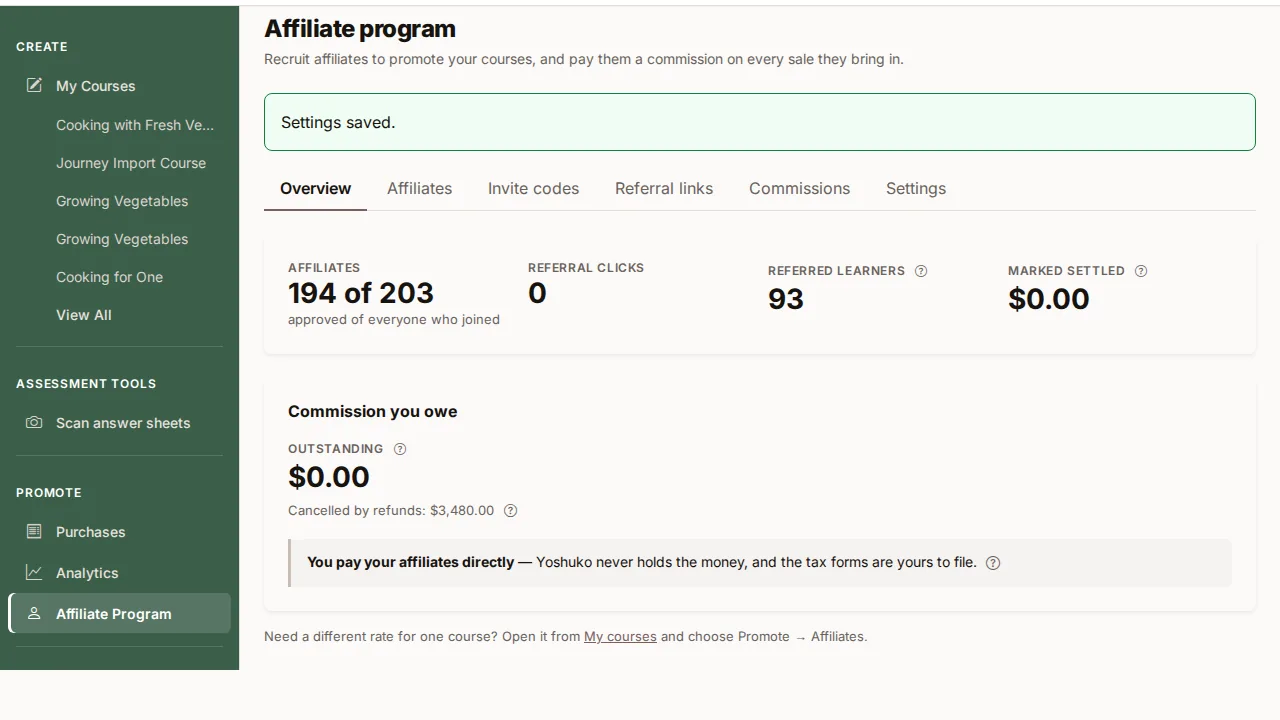
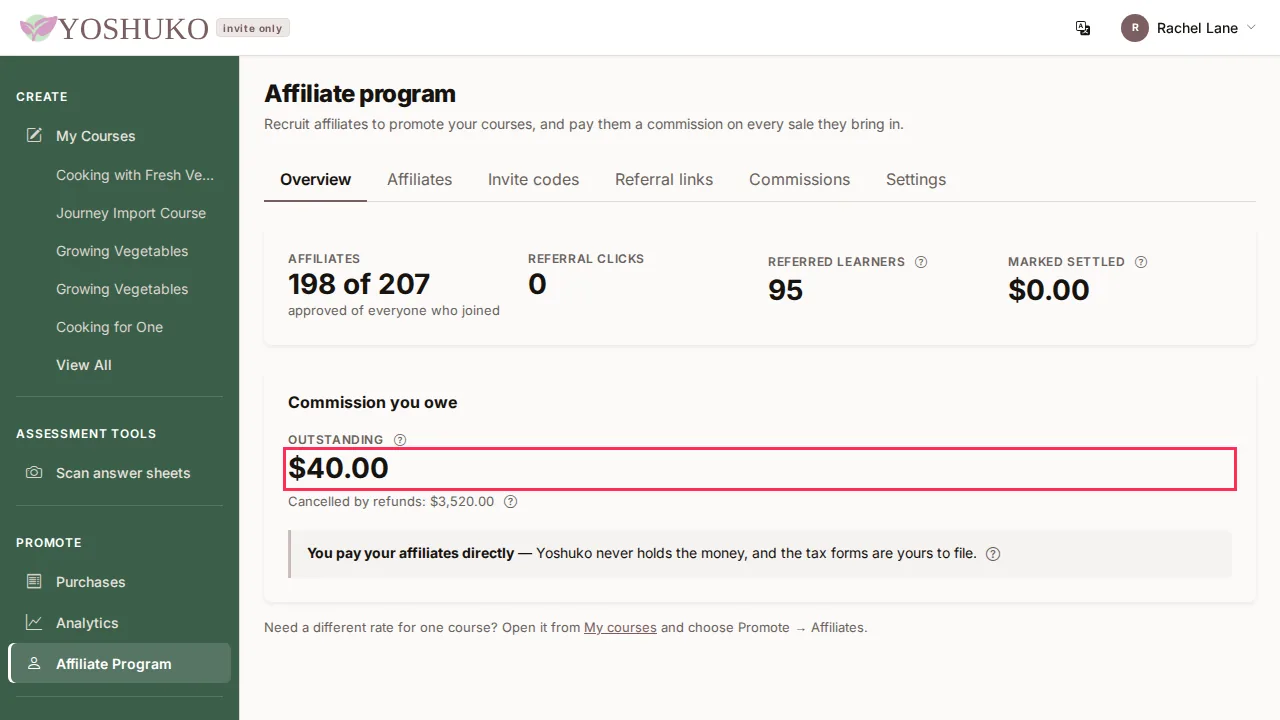
Die Registerkarte Overview zeigt Affiliate-Partner, Referral clicks, Referred learners
und Markiert als abgeschlossen, und unter Provision, die Ihnen schulbar ist, den Betrag Ausstehend —
gewonnen von Ihren Affiliate-Partnern und noch nicht als abgeschlossen markiert.
- Pay your affiliate however you have agreed with them.
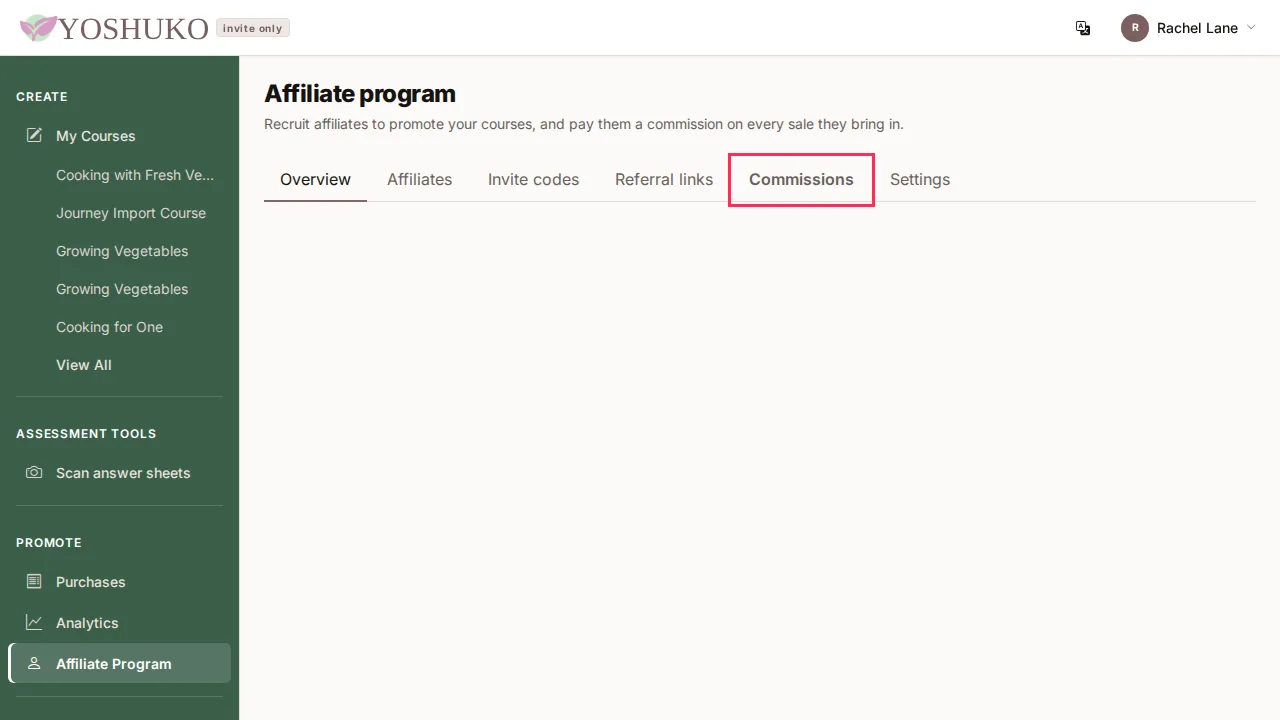
- Open the Commissions tab. Each sale an affiliate brought in shows the affiliate, course, sale,
commission and status (Owed,
Voidedor Reversed — refunded). - Press Mark settled on the rows you have paid. They read Settled, and Outstanding drops by that amount. This is your own record — Yoshuko sends no payment. Press it again to take the mark away.
Wenn ein Käufer eine Rückerstattung bekommt, wird dieser Verkauf und seine Provision storniert und die Zeile lautet Umgekehrt — erstattet.
Wenn Sie zur Affiliate-Partner eingeladen wurden
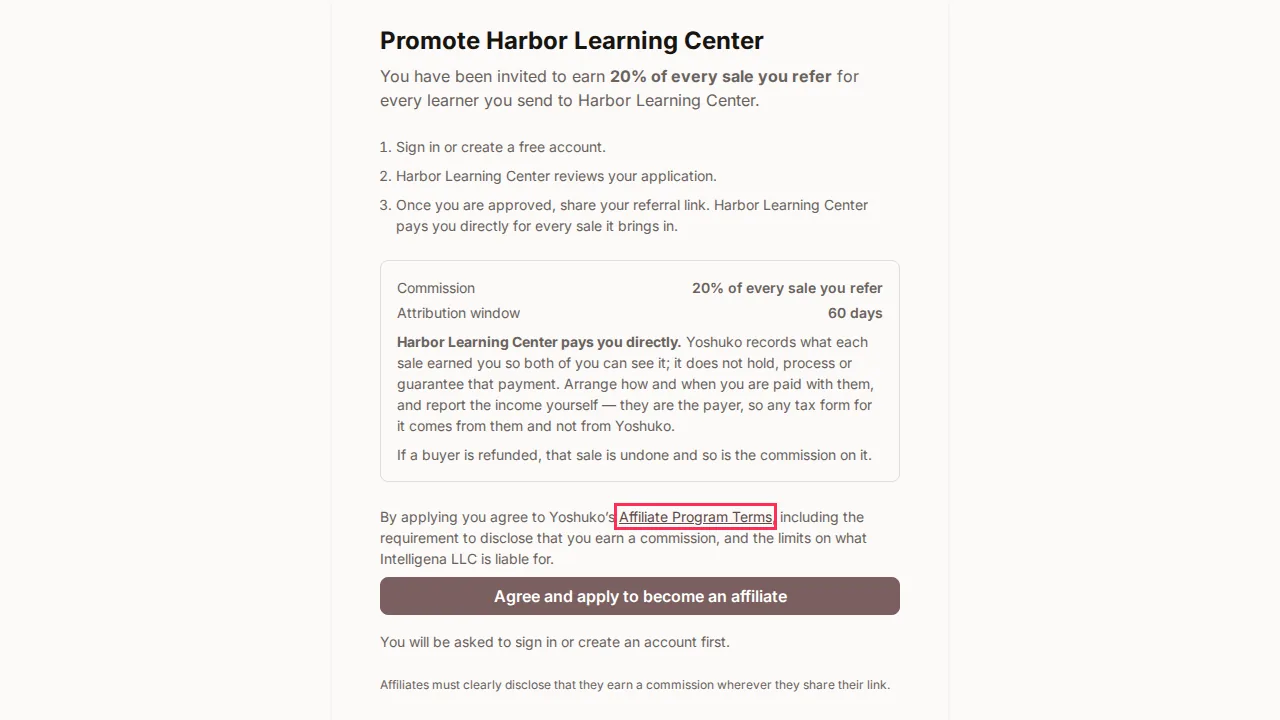
- Open the invite link you were sent. The page, Promote followed by the organisation's name, shows the commission on offer, who pays you (the creator, directly), and the creator's Program terms.
- Read the Affiliate Program Terms (linked on the page) — they include the rule that you must tell people you earn a commission, and section 7, No guarantees, about earnings, how correct things are, payment, and whether the programme will go on. You can also read them at /legal/affiliate-terms/.
- Press Agree and apply to become an affiliate. If you are not signed in, you are asked to sign in or create an account first.
- You see Application sent. You will get an email when it is reviewed. — or, for a
code that approves automatically,
You are approved. Your referral link is ready on your referrals page.
Ihren Link teilen und Ihre Einnahmen sehen
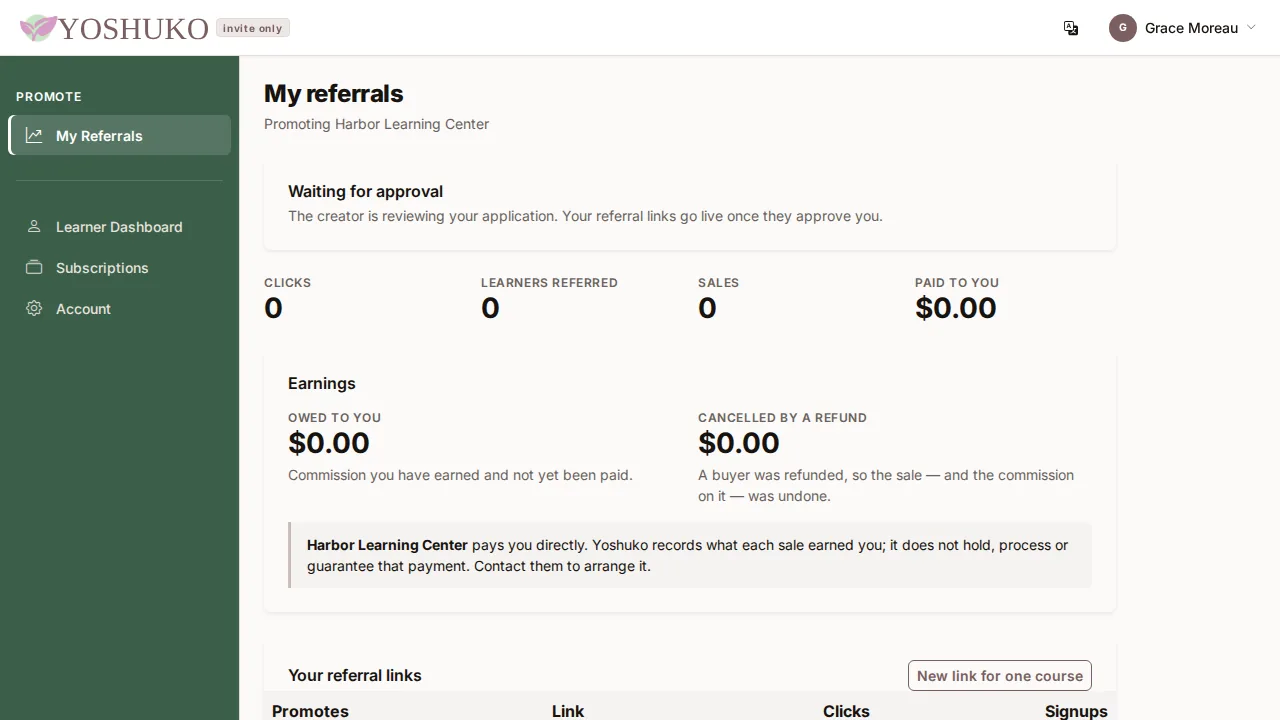
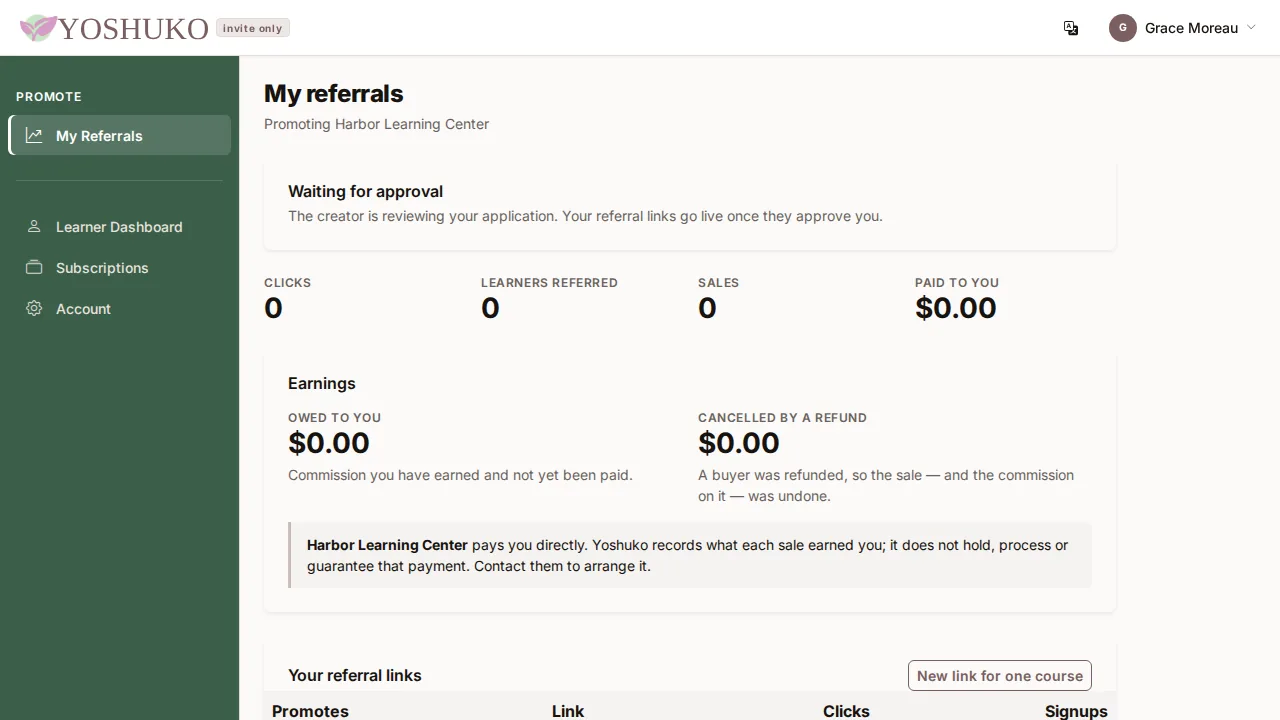
My Referrals ist Ihre eigene Seite. Sobald der Ersteller Sie genehmigt hat:
Your referral linkslistet Ihre Links auf, mit einem Kopieren-Button. Drücken Sie Neuen Link für einen Kurs, wählen Sie den Kurs und, falls gewünscht, ein Label, und drücken Sie Link erstellen, um nur einen Kurs zu bewerben.- Einnahmen zeigt Ihnen fällig — verdiente Provision, die noch nicht bezahlt wurde — und die Provisionstabelle listet jeden Verkauf auf, den Sie generiert haben.
When somebody follows your link, purchases they make within the number of days the creator set earn you commission. If they later follow another affiliate's link, the most recent link wins. Your creator pays you directly; contact them to arrange it. Wherever you share your link, say clearly that you earn a commission.
Falls etwas schiefgeht
| Sie sehen | Was es bedeutet | Was Sie tun |
|---|---|---|
| Wir konnten Ihr Affiliate-Programm nicht laden. | Die Teilen-Seite ist nicht geladen worden. | Drücken Sie Versuchen Sie es erneut. |
| Sie laufen kein Affiliate-Programm auf der Seite des Kurses Affiliate-Partner | Das Programm ist ausgeschaltet. | Drücken Sie Affiliate-Partner einrichten. |
| Diese Einladung ist nicht mehr gültig. oder Diese Einladung ist nicht mehr gültig. Bitte fragen Sie nach einem neuen Einladungslink. | Der Code wurde abgelehnt, verbraucht oder seine Zeit ist abgelaufen. | Fragen Sie den Ersteller um einen neuen Einladungslink. |
| Dieses Programm akzeptiert derzeit keine Affiliate-Partner. | Der Ersteller hat das Programm ausgeschaltet. | Fragen Sie den Ersteller. |
| Sie können kein Affiliate Ihrer eigenen Organisation sein. | Sie haben Ihren eigenen Einladungslink geöffnet. | Senden Sie ihn jemand anderem. |
| Sie haben bereits eine Anmeldung für dieses Programm abgegeben. | Ihre Anmeldung ist bereits eingereicht. | Warten Sie auf die E-Mail oder überprüfen Sie My Referrals. |
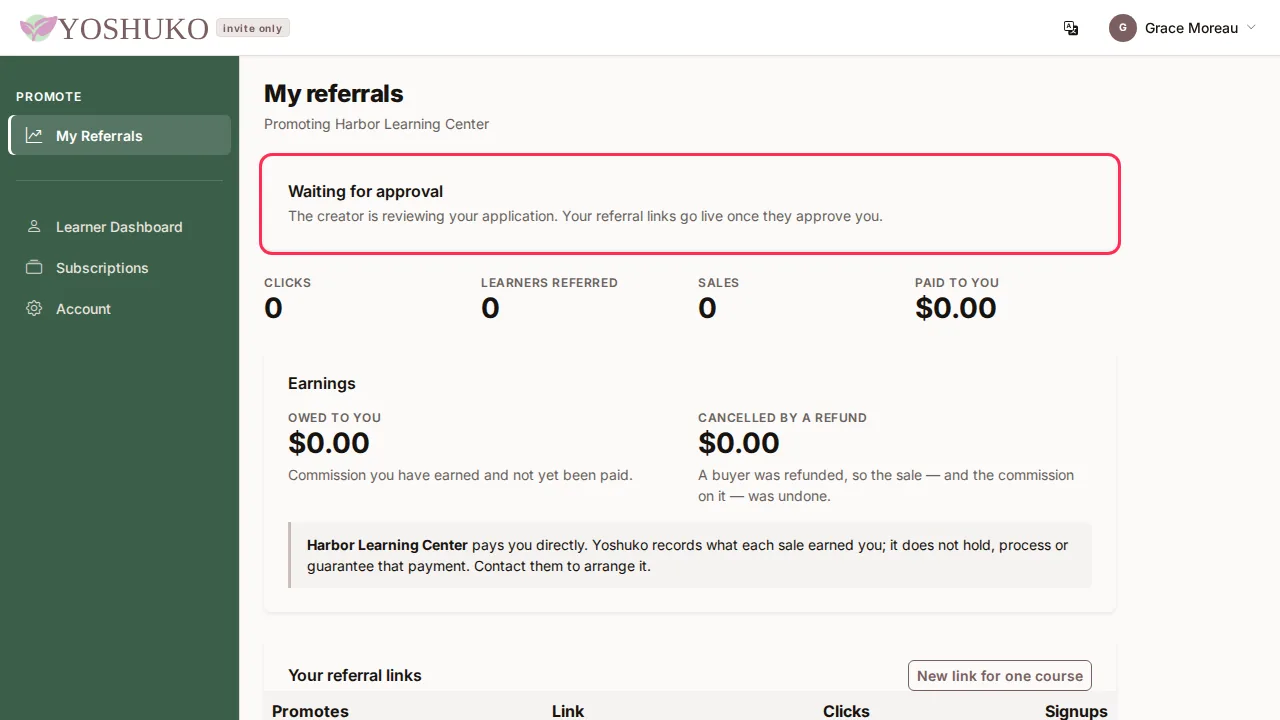
| Ihre Links erscheinen hier, sobald der Ersteller Ihnen genehmigt hat. | Sie haben sich angemeldet und warten. | Nichts — Sie werden per E-Mail benachrichtigt. |
Verwandt
- Zahlungen, Pläne und Gutscheine
- Ihre Kursliste
- Shopfront und Ihre eigene Domain (Ihre Shopfront ist Ihre Shop-Seite; eine Domain ist der Name einer Webseite)
- Rechtliche Dokumente