اختبارات وعمل كتابي
A quiz and a piece of written work both open in the course player, like any other lesson. A quiz is marked the moment you send it. Written answers are marked by your teacher.
Before you start
- You have joined the course and opened the quiz or the written work. See Take a course.
أجب عن اختبار
يمكن للاختبار أن يسأل عدة أنواع من الأسئلة:
- اختر إجابة واحدة من قائمة الخيارات.
- اختر كل ما ينطبق: علِّم كل الإجابات الصحيحة.
- إجابة قصيرة: اكتبها في المربع الواحد (اكتب إجابتك…).
- إجابة طويلة مكتوبة: اكتبها في المربع (اكتب إجابتك…).
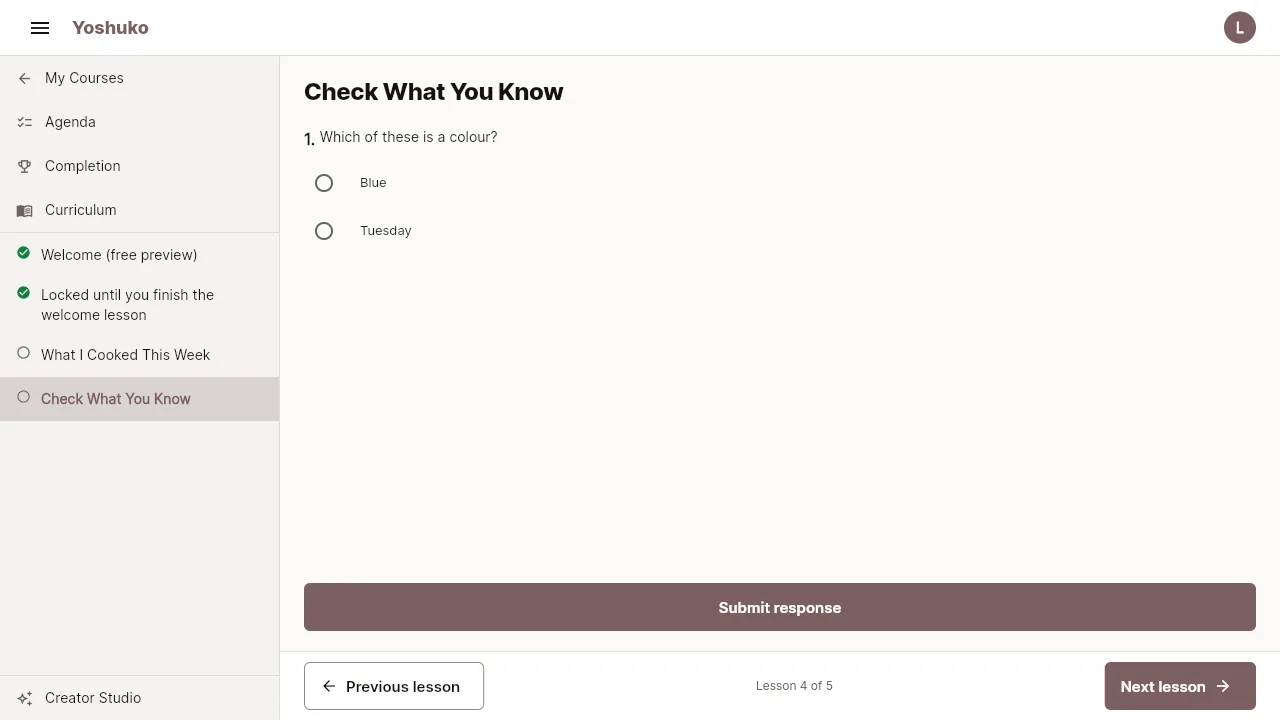
- Answer every question.
- Press
Submit response. -
A box asks Finish this attempt? and tells you how many tries you will have left after this. Press
Submit attemptto hand it in, or Keep working to go back.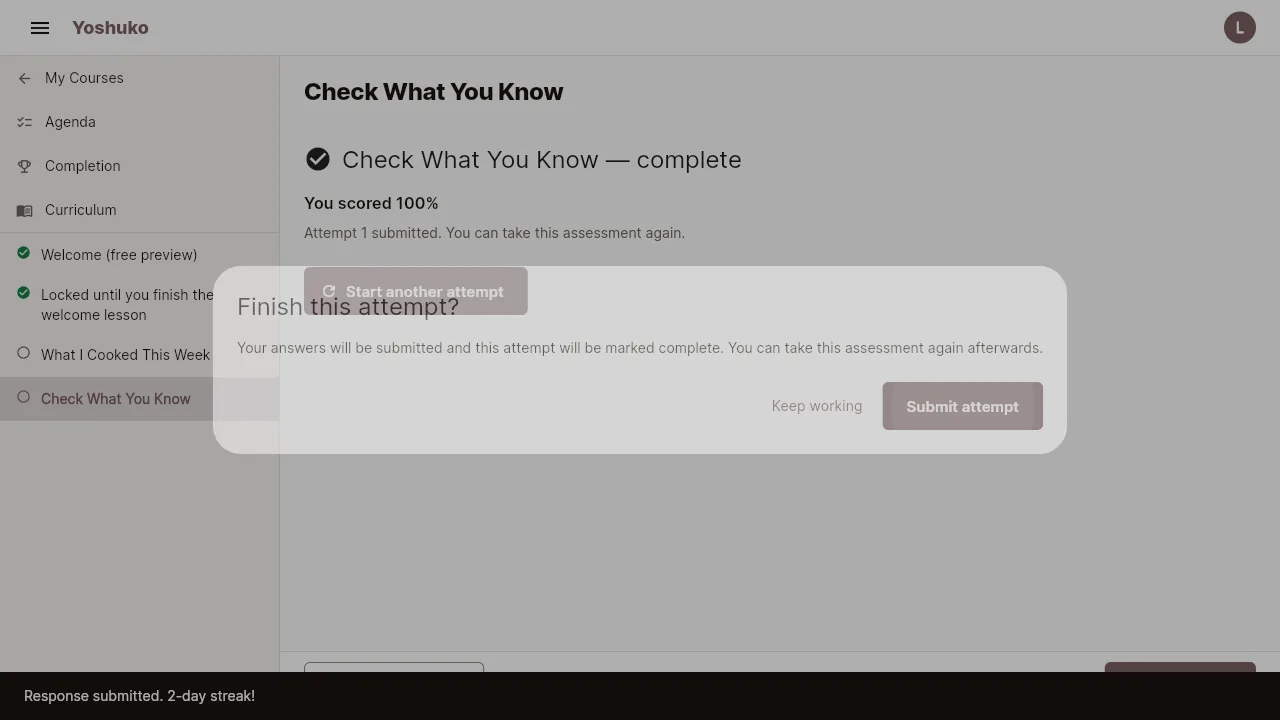
-
ترى تقييم مُكتمل مع نتيجةك:
- لقد حصلت على
N% عندما يمكن للحاسوب تقييم الاختبار، أو Your answers are with your instructor for marking.عندما يكون هناك إجابات كتابية يجب قراءتها من قبل شخص.
- لقد حصلت على
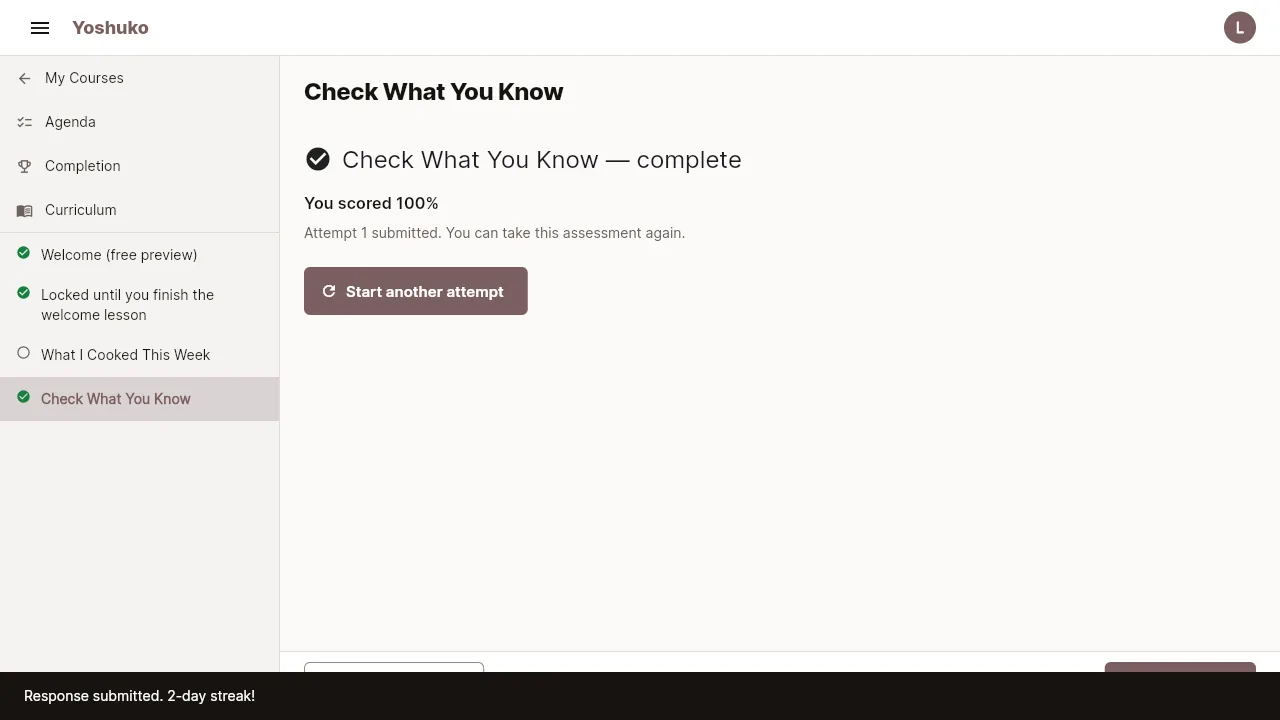
Under the result, a line tells you which try this was and how many you have left. For
example: Attempt 1 of 3 submitted. 2 attempts remaining.
أجب عن اختبار مرة أخرى
إذا كان منشئ يسمح بمحاولات أكثر من واحدة، يمكنك المحاولة مرة أخرى.
- تحت تقييم تم، اضغط على ابدأ محاولة أخرى.
- أجب عن الأسئلة وانقر على
Submit response، ثمSubmit attempt.
When you have more than one try, the panel tells you which one counts, if it is not just your latest: Your highest scoring attempt is the one that counts. or Your lowest scoring attempt is the one that counts.
عندما لا تبقى لديك أي محاولات، تقول اللوحة لا توجد محاولات متبقية.
أجب عن عمل كتابي
- اكتب إجابتك في المربع.
- اضغط على
Submit response. ترىResponse submitted.
Your teacher marks it, and the mark appears on the Agenda and on your
Completion page. See Take a course.
تسليم العمل على الورق
Some questions ask you to write your answer on paper and scan it in. You see Write your answer on paper, then scan it here. Please print your letters rather than joining them up.
- Write your answer on paper.
- Press Scan your work and scan your pages.
-
When it is done, you see Scanned —
Npages and the text that was read from your pages, under This is what your work will be marked on:.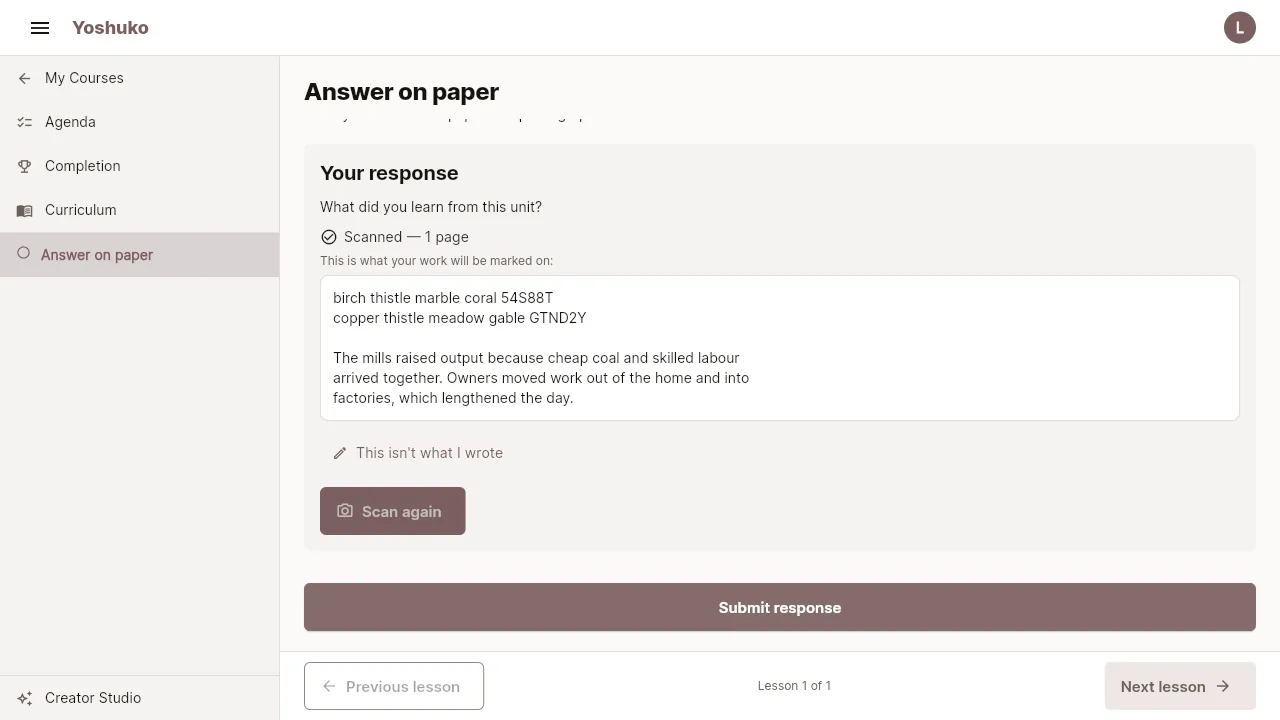
-
اقرأ النص بعناية. إذا كان هناك خطأ، اضغط على هذا ليس ما كتبتُ.
- قم بإصلاح النص في الصندوق وانقر على
Save correction(أو إلغاء).
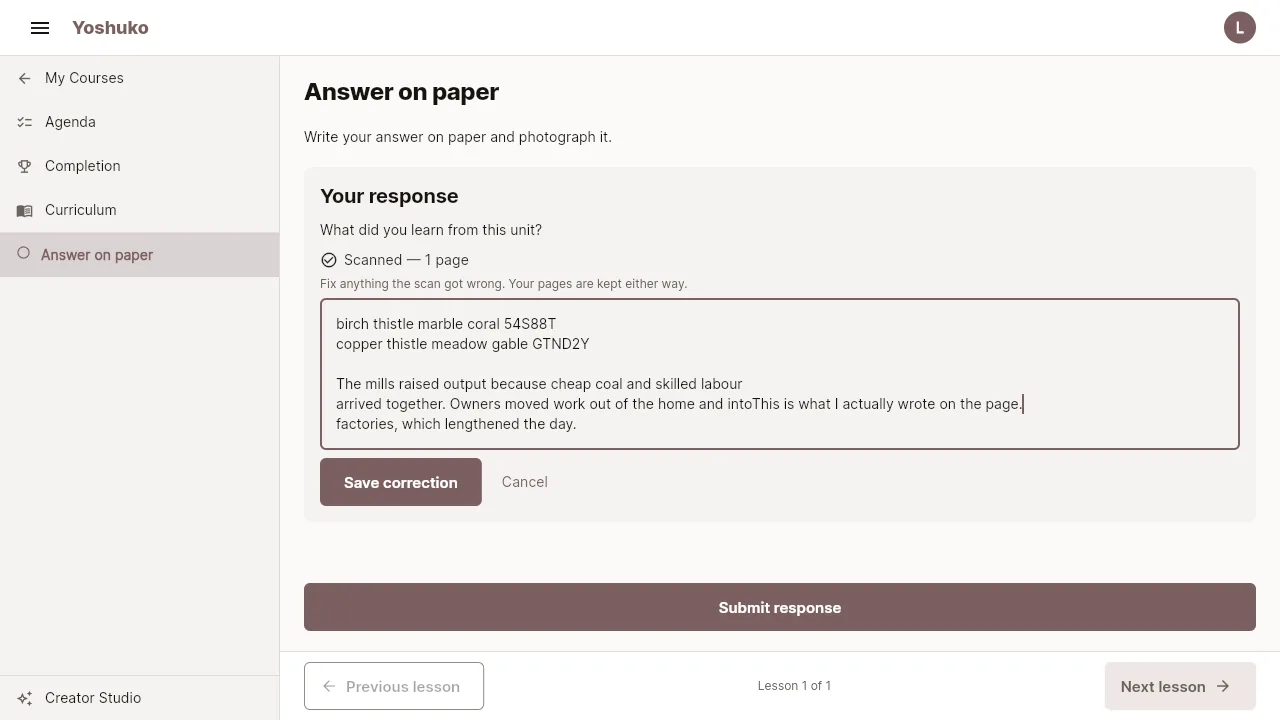
صفحاتك الممسوحة محفوظة بغض النظر، لذا يمكن لمعلمك أن يرى ما كتبتَ فعليًا. لإعادة تحميل الصفحات، اضغط على مسح مرة أخرى.
إذا حدث شيء خاطئ
| ترى | ما يعنيه | ما يجب فعله |
|---|---|---|
Write a response before submitting. |
صندوق الإجابة فارغ | أدخل إجابتك ثم اضغط لإرسالها. |
| لقد استخدمت كل محاولاتك لهذا التقييم. | لا توجد محاولات متبقية | النتيجة المحفوظة الأخيرة ستبقى. إذا كنت تعتقد أن هذا خطأ، اتصل بمعلمك. |
Could not submit your response. |
إجابتك لم تُرسل | تحقق من اتصالك وانقر على Submit response مرة أخرى. |
| لم يتم حفظ الصفحات. تحقق من اتصالك وحاول مرة أخرى. | لم يُرفع مسح | انقر على مسح عملك مرة أخرى. |
Your correction could not be saved. |
النص المعدل لم يُحفَظ | جرب Save correction مرة أخرى. |