Find and join a course
You can join a course from its course page, or find one inside the learner app. Joining takes a minute. A paid course takes you through a safe checkout.
Before you start
Join a course from its course page
Every published course has its own page, which a creator can share with you. It shows what the course covers, how many lessons it has, and a Lessons section that lists every lesson, unit by unit.
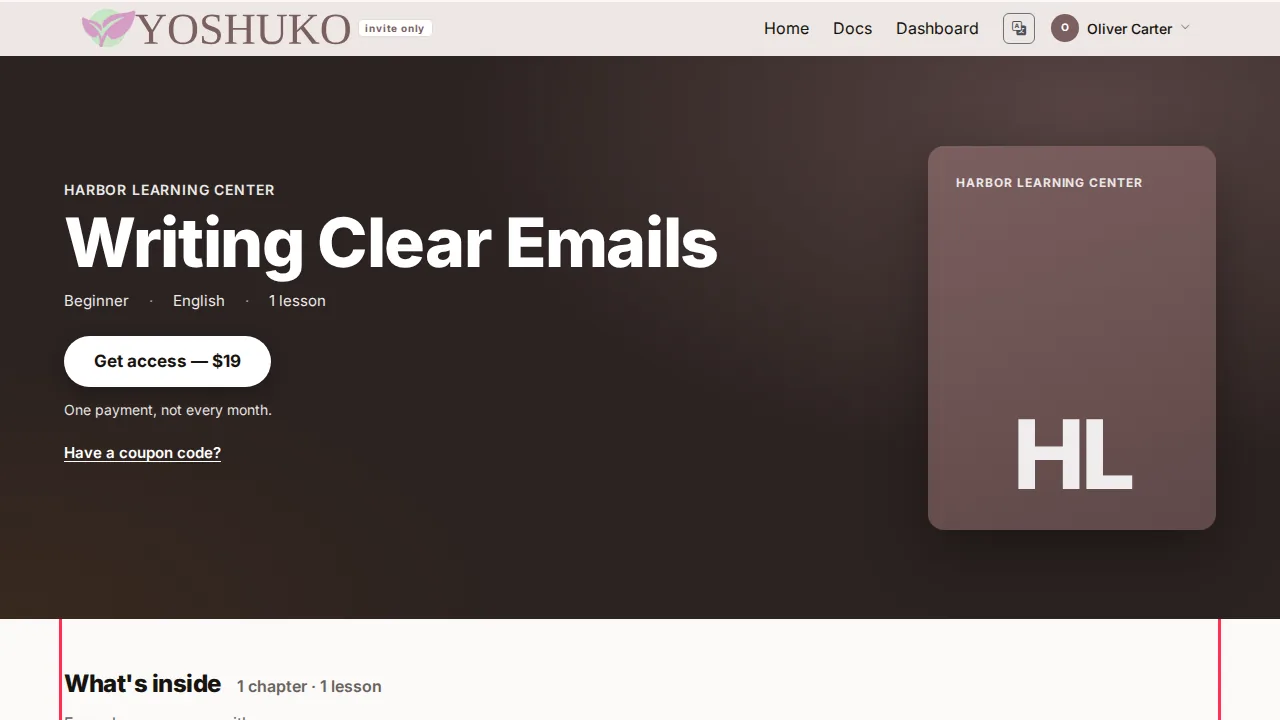
- Read the page. If there is a What you'll learn section, it lists what you will be able to do at the end.
- If you see Free preview, press it to try a free lesson before you decide.
-
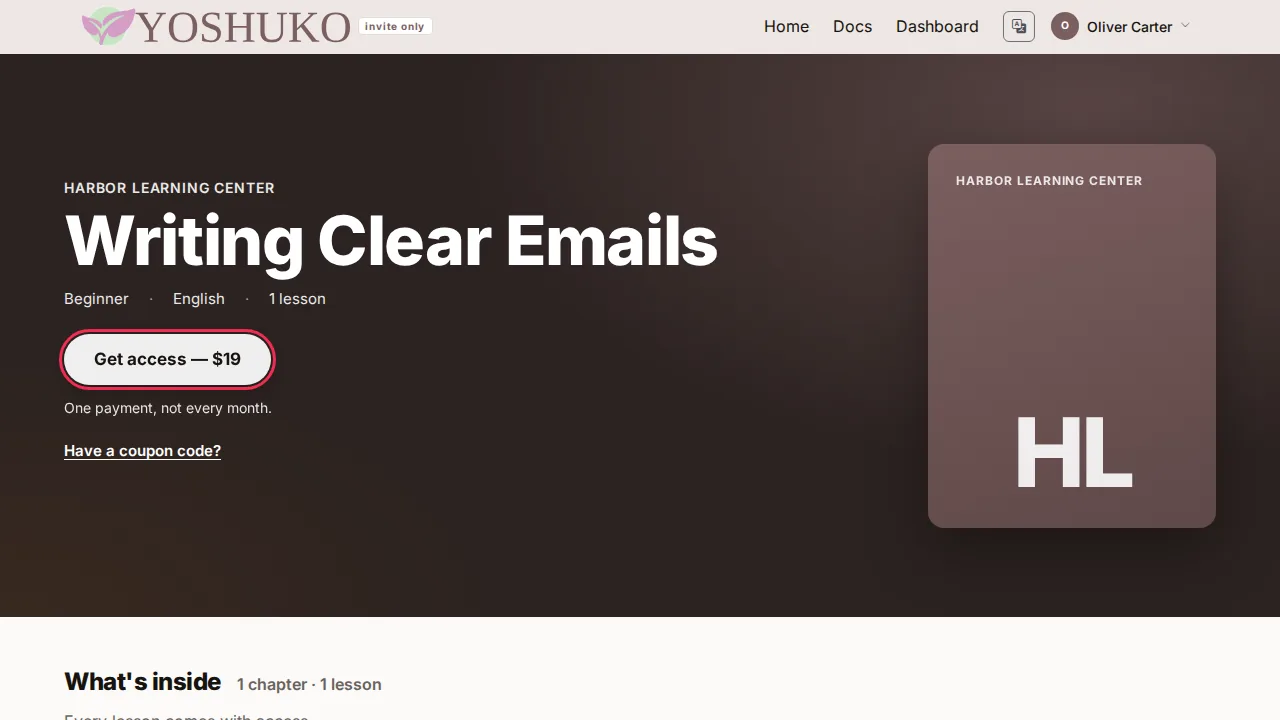
Press the main button:
Enrol freeon a free course. You join at once and are taken to the learner app.- Get access — price on a paid course. You go to a safe checkout page to pay.
-
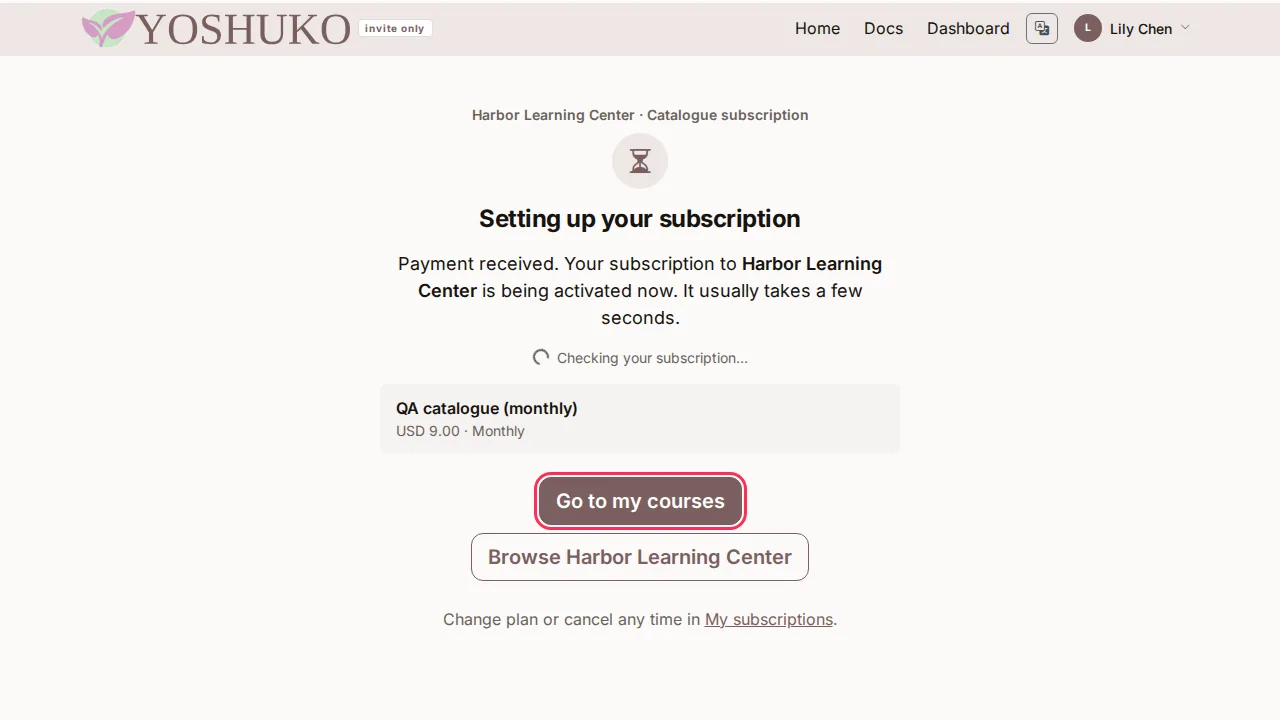
After you pay, you land on Payment received. It says Your access is ready when the course is already in your dashboard. If it says access is still being set up, wait a few seconds and load the page again.
- Press Go to my courses to start, or Back to the course page.
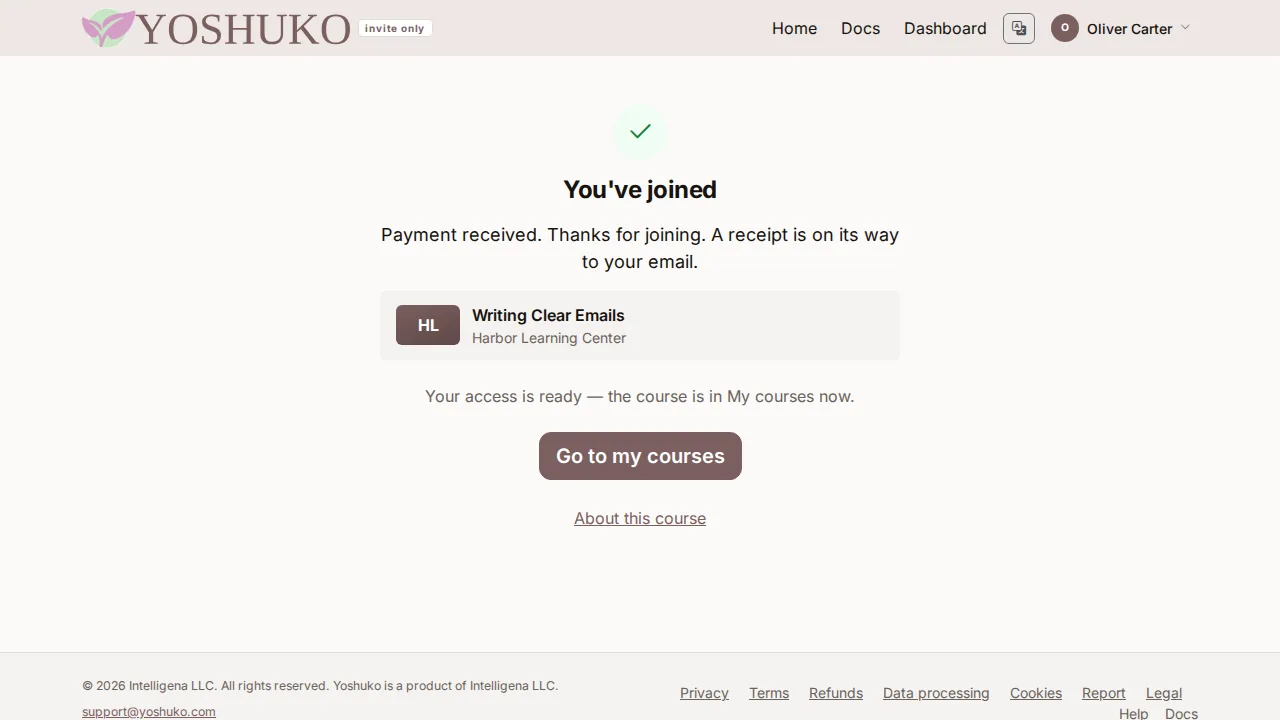
A receipt is emailed to you after you buy.
Look through courses inside the app
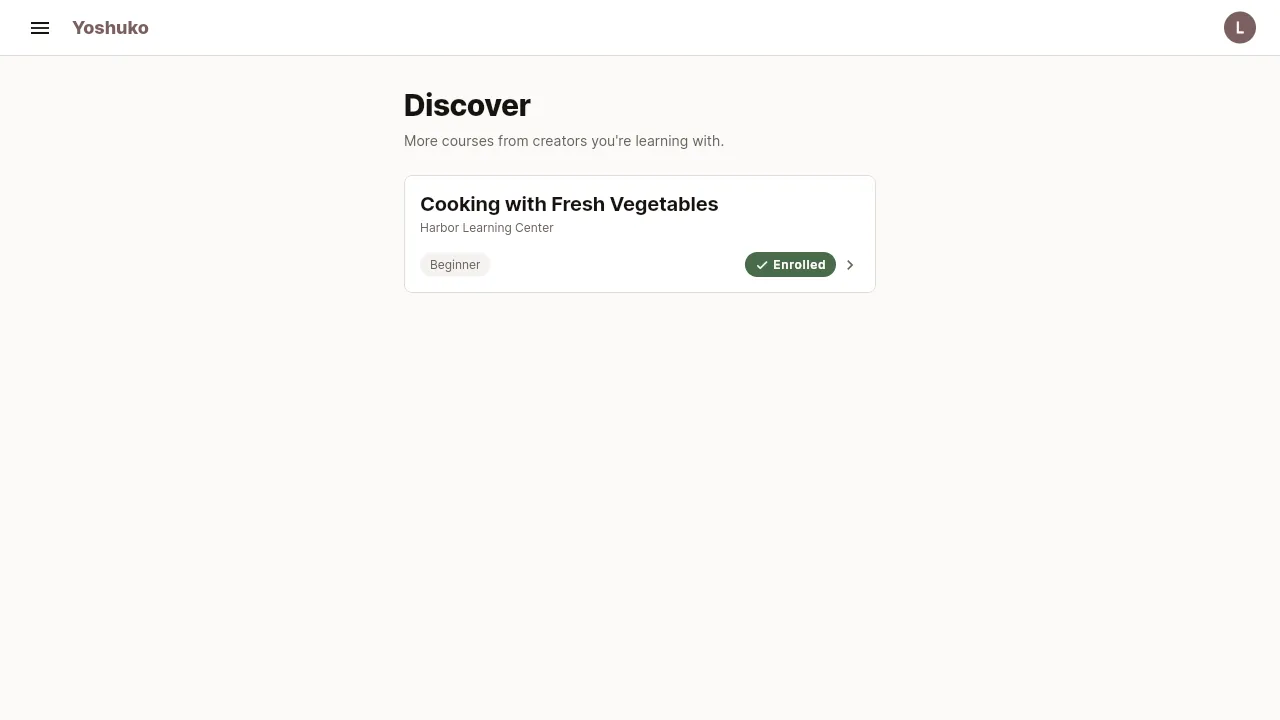
- In the learner app, press Discover in the menu.
- Type in the search box (Search by course or creator) to make the list shorter.
- Press a course card.
- A course you have already joined opens straight in the app.
- A course you have not joined opens its course page, where you can join it as above.
See everything a course covers
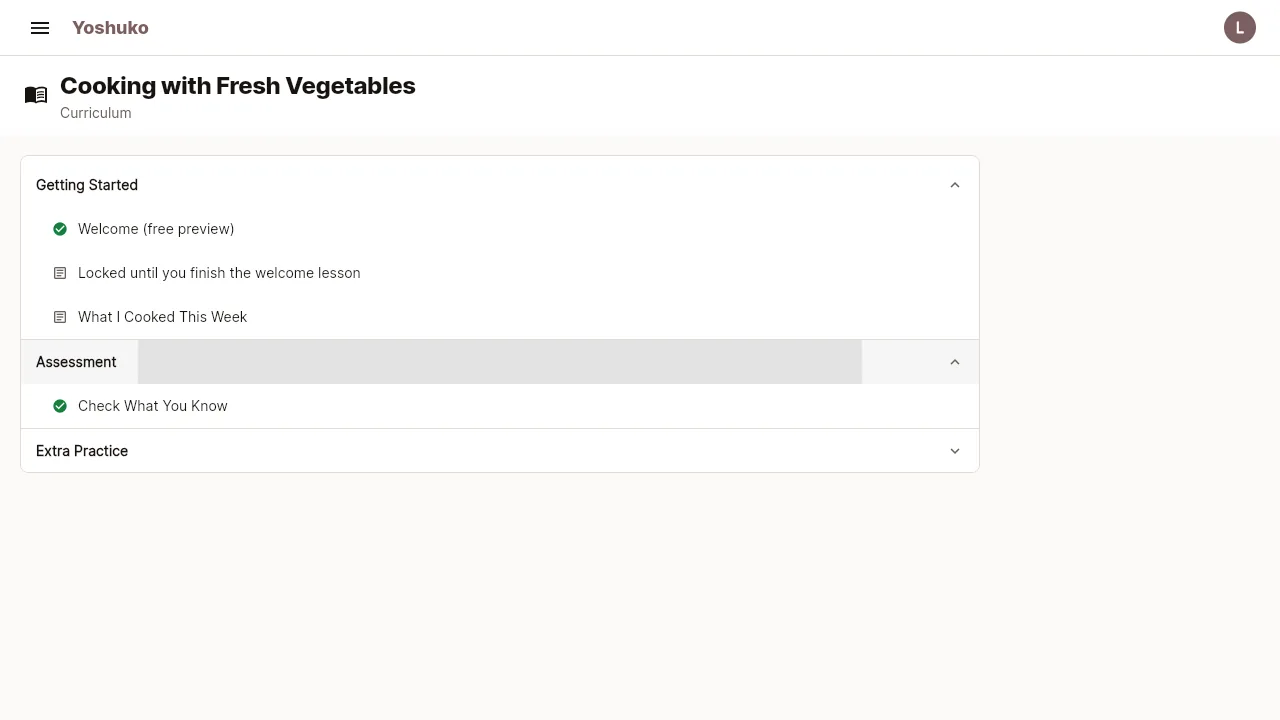
Once you have joined, you can read the whole course in the order it was written and open any lesson from there.
- Open the course, then open the course menu (Show the course menu).
- Press Curriculum.
- Press any lesson to open it. Some lessons may be locked until earlier work is done. See Take a course.
Pay once for all of a creator's courses
Some creators offer a subscription to every course they
publish, including courses they add later. When they do, the course page shows this
under the main button: Or subscribe to every course from [creator], including new ones
- Press
Subscribe — price / periodfor the plan you want (a creator may offer more than one, such as monthly and yearly). - Pay on the safe checkout page.
- You land on Payment received. Press Go to my courses.
Every published course from that creator is now open to you, with no other step.
Switch plan or cancel a subscription
You can manage these subscriptions on the web or in the app.
- Open My subscriptions: use the link on the Payment received page, or go
to
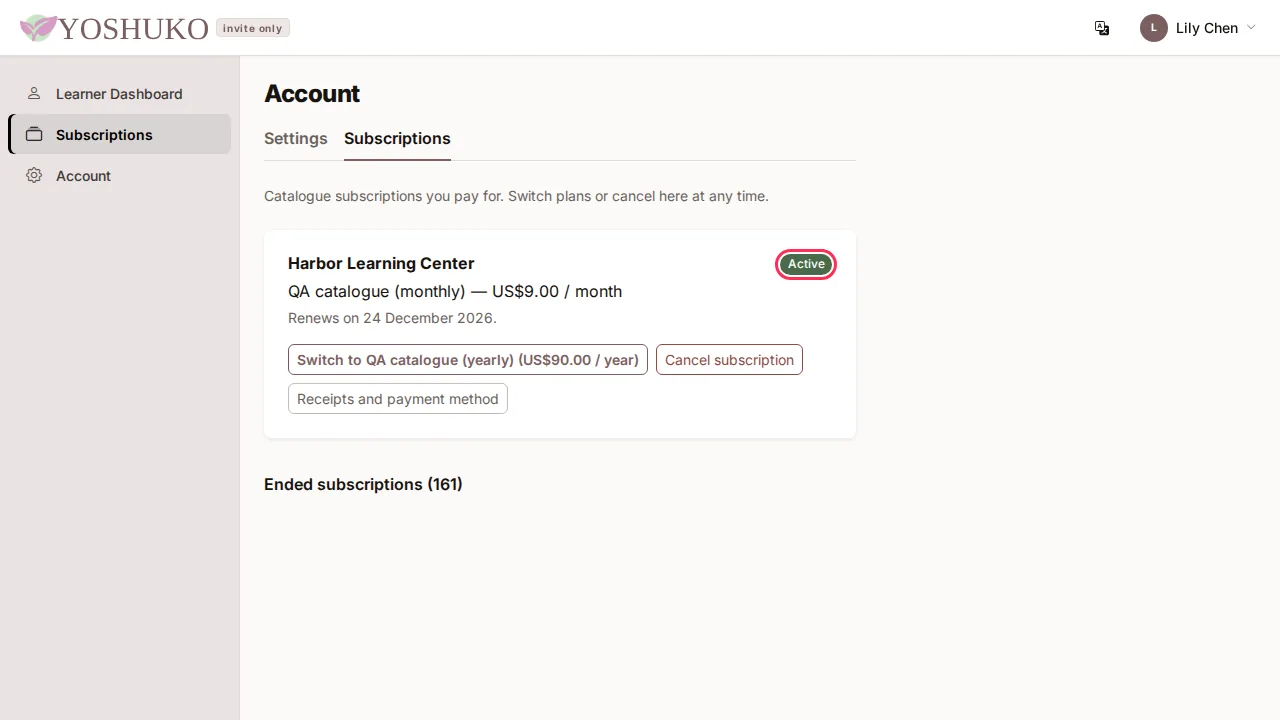
/account/subscriptions/. - Each subscription shows its status and the date it starts again and you pay again.
- To change plan, press Switch to plan name (price), then Switch plan. You pay only for the part you use: money for the part of your current plan that you have not used is taken off what you pay.
- To cancel, press Cancel subscription, then End subscription. Press Keep subscription if you change your mind.
- Open the Account menu and press Settings.
- Press My subscriptions.
- Press Switch to plan name (price) or Cancel subscription, and say yes.
Cancelling ends access straight away
When you cancel, your subscription ends at once and you can no longer open that creator's courses. You will not pay again. The subscription then reads Cancelled with nothing left to do.
What the status means
| Status | What it means |
|---|---|
| Active | Your subscription is running and starts again by itself each period. |
| Trial | You are in a free test period. |
Activating |
Your first payment is still being checked. |
Payment retrying |
Your last payment did not go through. We will try the card again by ourselves, and you can still open the courses while we do. |
Ended — unpaid |
We could not take the payment, so access has ended. |
| Cancelled | The subscription has ended and you can no longer open the courses. |
If something goes wrong
| You see | What it means | What to do |
|---|---|---|
You are taken to a sign-in page when you press Get access or Enrol free |
You are not signed in as a learner | Sign in or create an account. You come back to the course page. |
Checkout is unavailable for this course right now. |
Nobody can buy the course at the moment | Try again later, or contact the creator. |
| Could not reach checkout. Please try again. | A problem with the network | Check your connection and press the button again. |
| Your access is being set up now after paying | Payment is done, and access takes a few seconds | Load the page again in a moment, then press Go to my courses. |
| No courses match your search. in Discover | Nothing matches what you typed | Try a shorter search, or a creator's name. |
| Failed to load courses in Discover | The list could not load | Press Retry. |
Your subscriptions could not be loaded. |
The page could not load | Press Try again. |
| That did not work. Nothing has changed — please try again. | A switch or a cancel failed | Nothing was changed. Try again. |