Terms, reporting and copyright
Every Yoshuko legal document is at /legal/. This page shows you where things are and how the forms work. Anyone can read the documents and send a report or a complaint. You don't need an account.
In this page, copyright means the right in law that a person has to decide who may copy, share or publish a work they made or own.
This page is a guide, not the documents
The short versions here only help you find your way. What applies is the words of the documents themselves. If you're not sure what a document means for you, ask a lawyer for advice.
Find a document
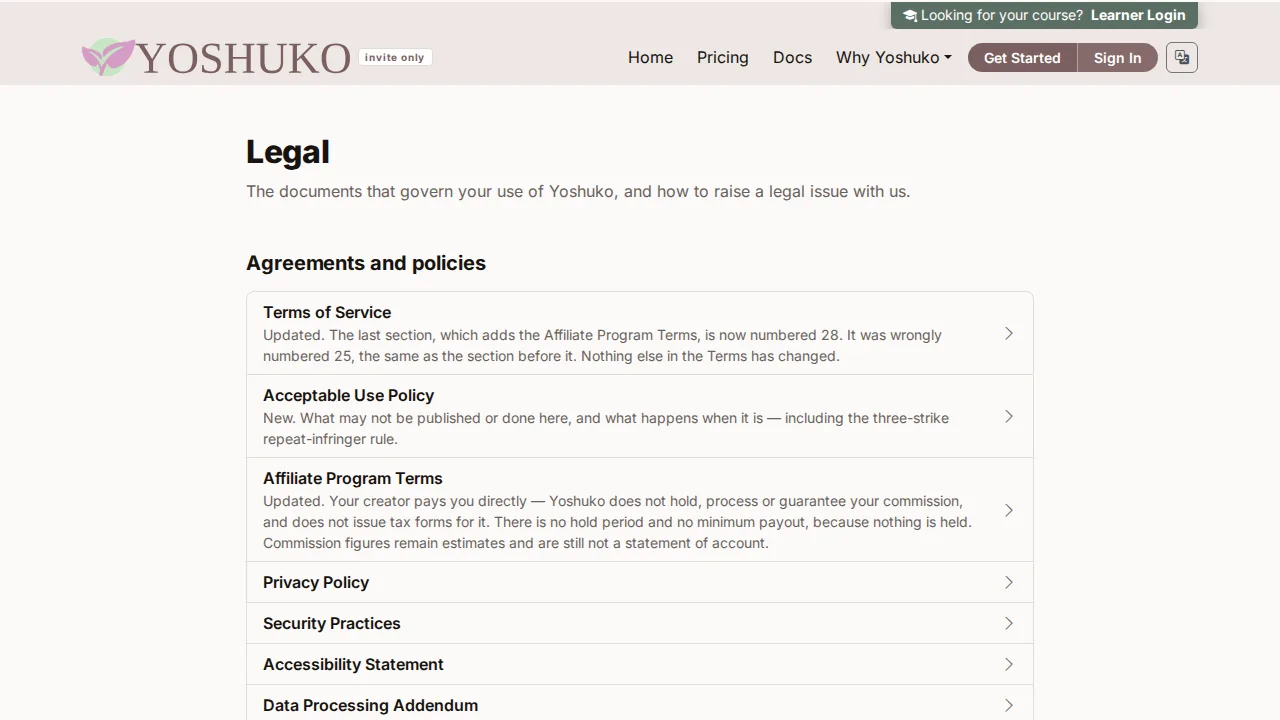
The legal list shows every agreement and policy, including:
- Terms of Service
- Acceptable Use Policy: what may not be published or done on Yoshuko
- Privacy Policy: how we use your information and protect your privacy
Refund and Cancellation Policy: when you can get a refund and how to end a plan- Security Practices
Accessibility Statement: how we make Yoshuko easy to use for people who find it hard to see, hear, move or readAffiliate Program Terms: the rules for an affiliateSubprocessors: the other companies that process data for Yoshuko- Cookie Policy: what is set, and how to change your choice
Under Raise an issue, the same page has File a copyright complaint and Report
content or conduct.
Contact details for legal matters
At the bottom of the legal list, How to reach us lists the email addresses for general legal questions, copyright, reports and privacy requests. It also says how to give formal notice: by post or by email.
Agree to changed terms
When the terms change, Yoshuko asks you to read what changed and agree. In the
creator studio you may first see a message that says this, with a Review and agree
button: We have updated our …
-
On
We have updated our terms, read what has changed. Each item links to the full document.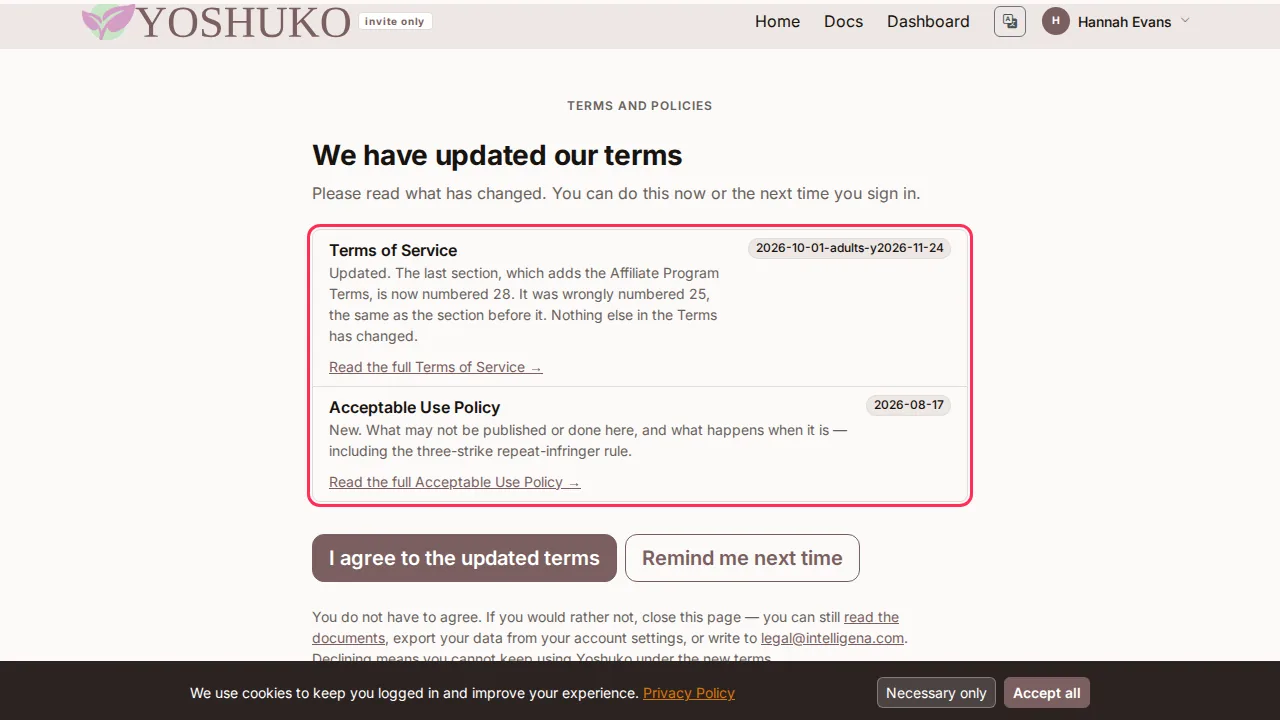
-
Press
I agree to the updated terms. You go on from where you were.
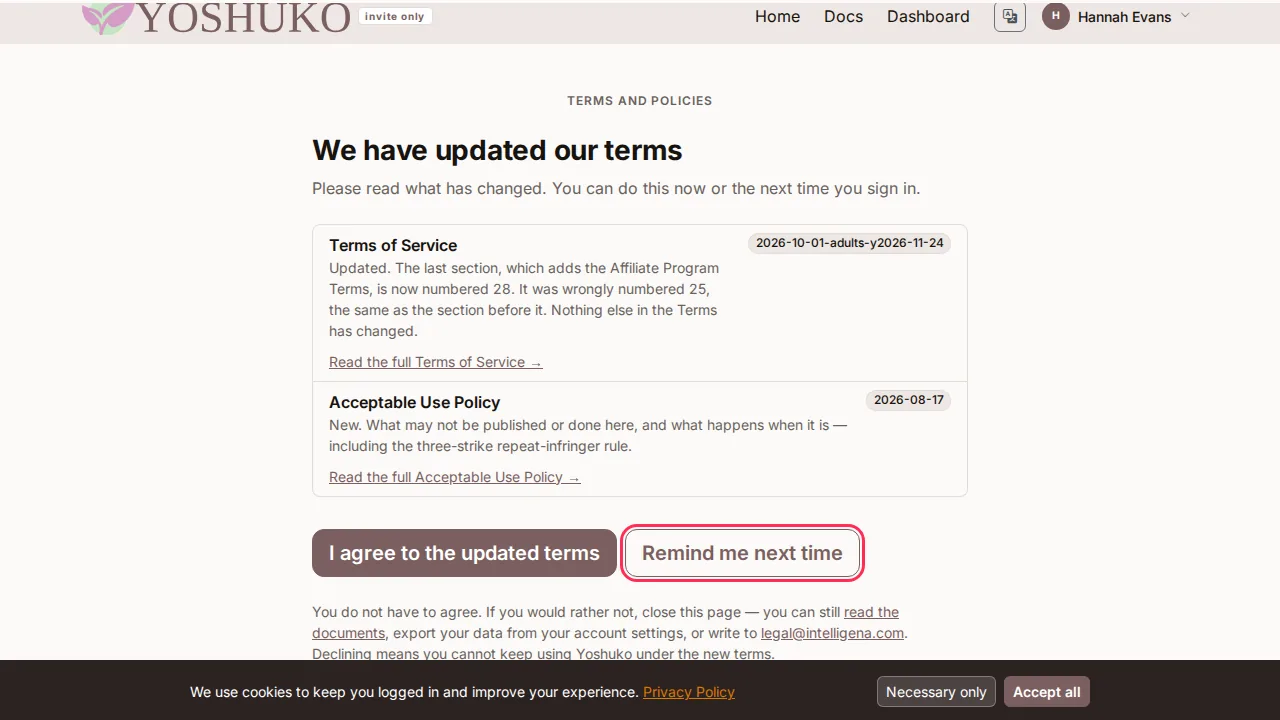
Not ready yet? Press Remind me next time. You can put it off once for each change. The next time, you must read the changes before you continue, and the reminder button is no longer offered.
If you don't want to agree
You do not have to. Close the page. You can still read the documents, take a copy of your data from your account settings (see profile, email and your data; your profile is the page about you), or write to the legal address on the page. If you say no, you cannot keep using Yoshuko under the new terms.
Report content or conduct
Use this for claims that someone is using a business's name or sign that the law protects, claims about privacy, or the right to control how your name and picture are used for business; for false statements that damage a person's good name; for behaviour that attacks, frightens or troubles a person again and again; or for anything that breaks the Acceptable Use Policy.
- On the legal list, press Report content or conduct.
-
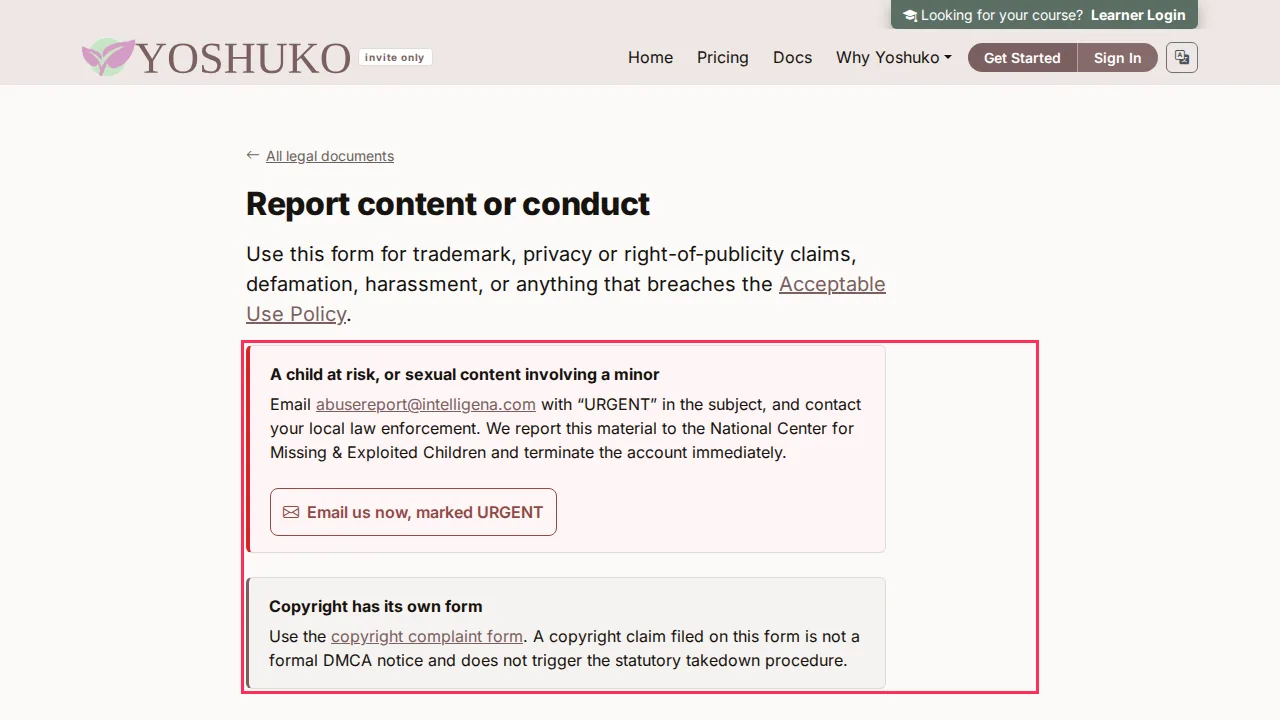
Read Two things do not belong here:
- Copyright goes on the copyright complaint form (see below). A copyright claim on the report form is not a formal DMCA notice (DMCA is the US copyright law that sets out how these notices work).
- A child at risk, or sexual content involving a child: email the address on the page with URGENT in the subject, and contact your local police.
-
Fill in the form:
- What is this about?: choose the kind of problem.
- You are: I own the rights in the work or
I am authorised to act for the rights owner. - Your full legal name and Email address. You can also add a telephone number, an address for letters, and a company.
- Where the material is on this site: one full web address per line. At least one is needed. We can only act on material we can find.
- Anything else we should know (you can leave this empty).
- Check both statements, and Type your full name as your electronic signature.
- Press
Submit this report.
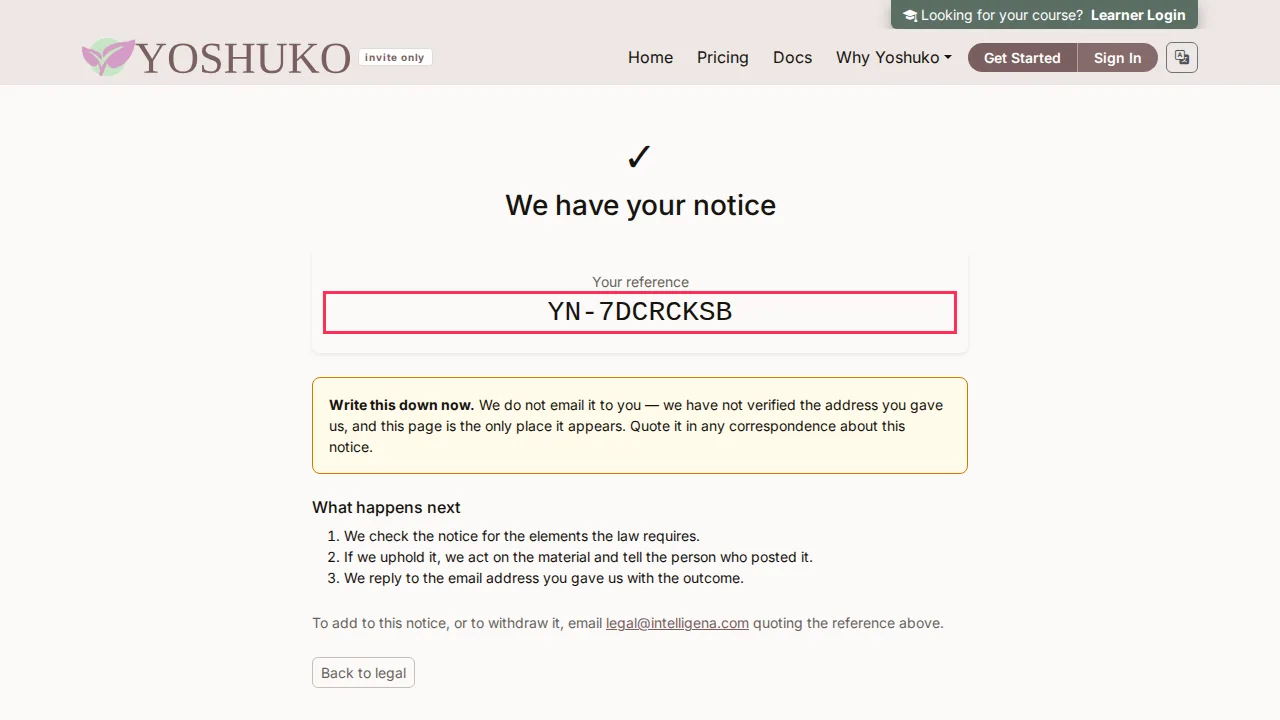
On the next page you get Your reference. Write it down: it is not emailed to you, and that page is the only place it appears. Give it in anything you send about this report. The report page explains what happens next, including that you'll hear the result at the email address you gave.
Send a copyright complaint (DMCA)
Use this if someone has published work that you hold the rights in.
-
On the legal list, press
File a copyright complaint.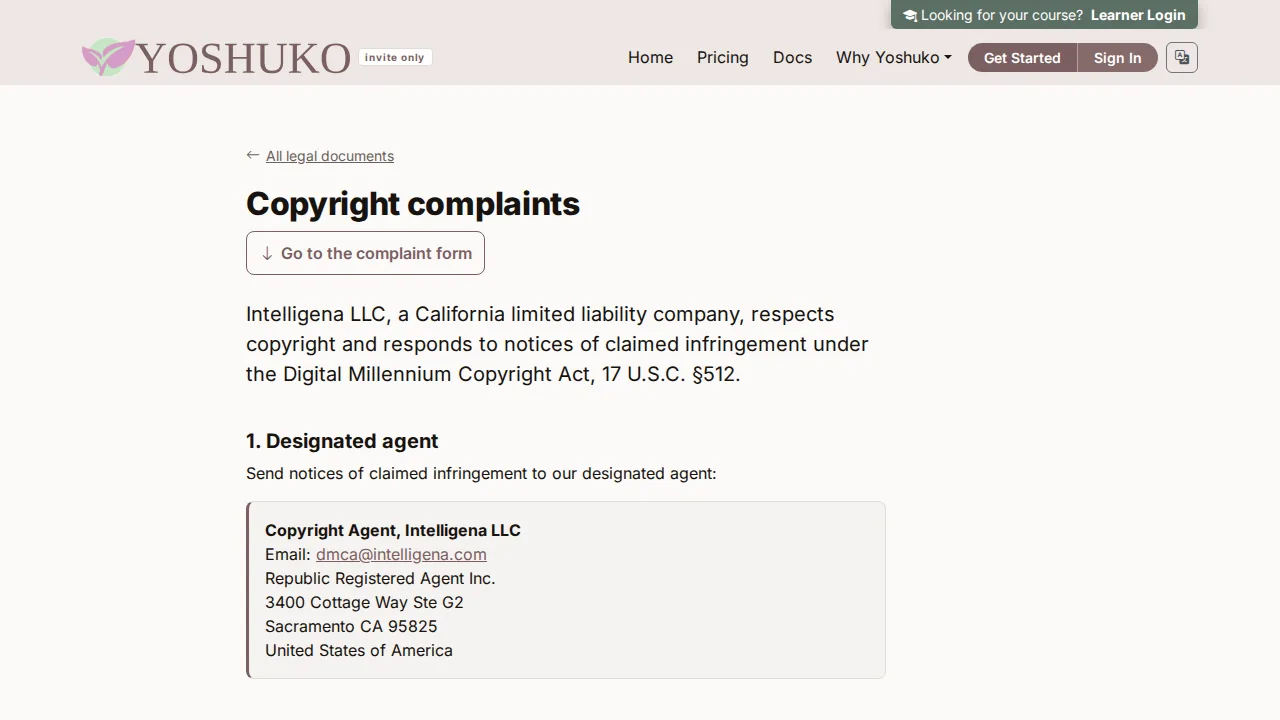
-
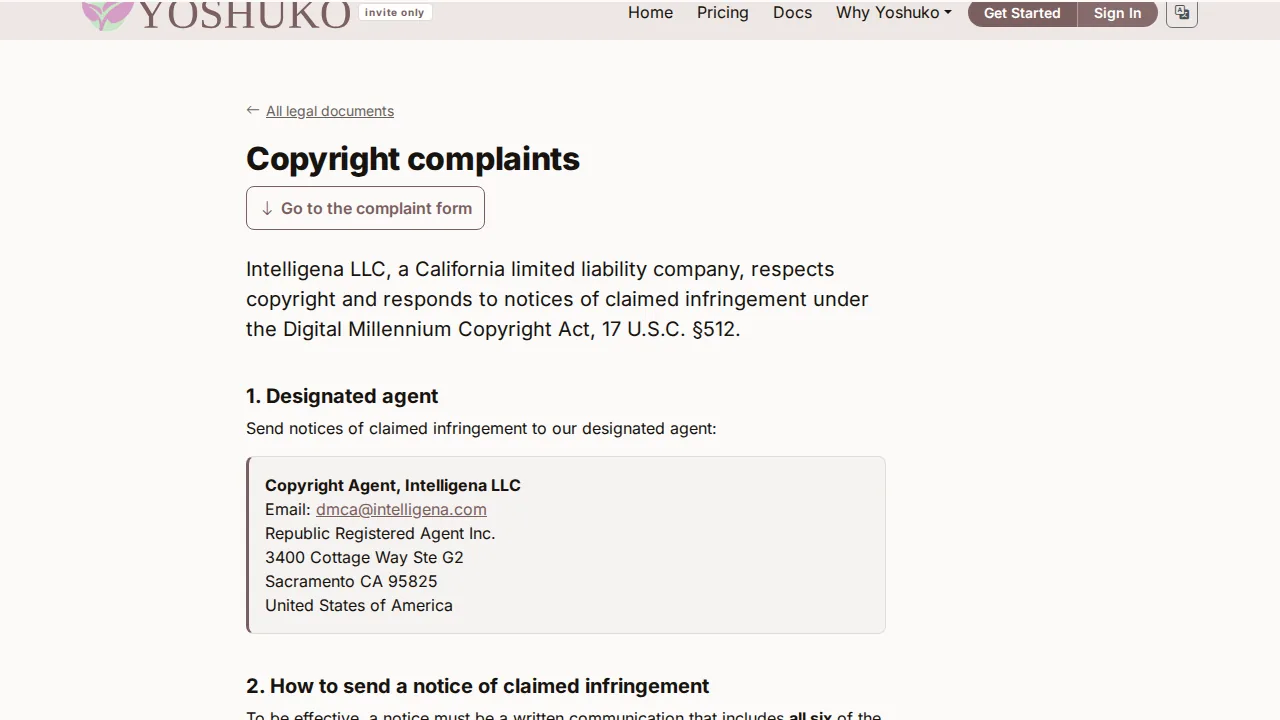
Read the page. It names the agent that Yoshuko has officially chosen to receive copyright notices, and explains what a notice must contain and what happens to it.
-
Fill in the form. For a copyright notice these are required:
- You are: I own the rights in the work or
I am authorised to act for the rights owner. - Your full legal name, Email address, Telephone number and
Postal address. If the person who put the material on the site sends a counter-notice (a reply that says the material should come back), your name and address are given to them. The law says we must do this. The work you say has been infringed: a title, a web address where the original can be seen, or the number it was registered under.- Where the material is on this site: one full web address per line.
- You are: I own the rights in the work or
-
Check both statements: the statement that you are acting honestly, and the statement that the notice is correct. You make the second one knowing that a false statement is perjury, a crime that the law can punish. Then Type your full name as your electronic signature.
-
Press
Submit this notice.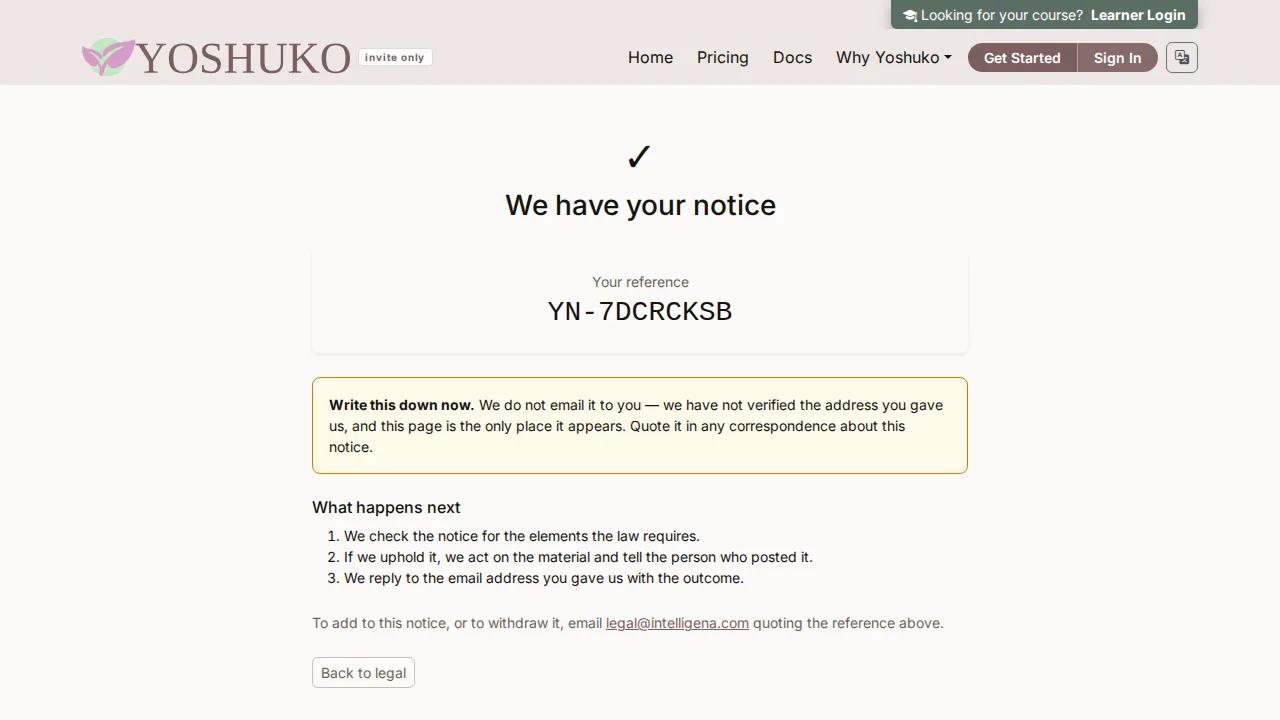
Write down Your reference from the next page. It isn't emailed to you. To add to the notice or take it back, email the legal address shown on that page, and give the reference.
Answer a copyright complaint with a counter-notice
If your material was removed after a copyright complaint and you believe that was a mistake, or that the wrong material was named, you can send a counter-notice. When we act on a complaint against your material, we email you its reference and a link to the counter-notice form for that complaint. Open the form from that email: each form belongs to one complaint and shows its reference. The Legal page's Your material was removed card explains the steps if you can't find the email.
Read this before you send it
The form explains what sending it means, including:
- Your name and the address for letters are given to the person who complained. You can't send it without giving your name.
- You agree that a US federal district court has the power to hear and decide the case, and you agree to accept legal papers from the person who complained.
- A false statement is perjury, and a court can make you pay money for the harm it caused (damages).
- The person who complained may take you to court. If they don't tell Yoshuko that they have gone to court within the number of working days stated on the form, the material may be put back.
If you are not sure, ask a lawyer for advice first. If you only want the decision looked at again, reply to the email we sent you instead. That is an appeal, and it has none of the results above.
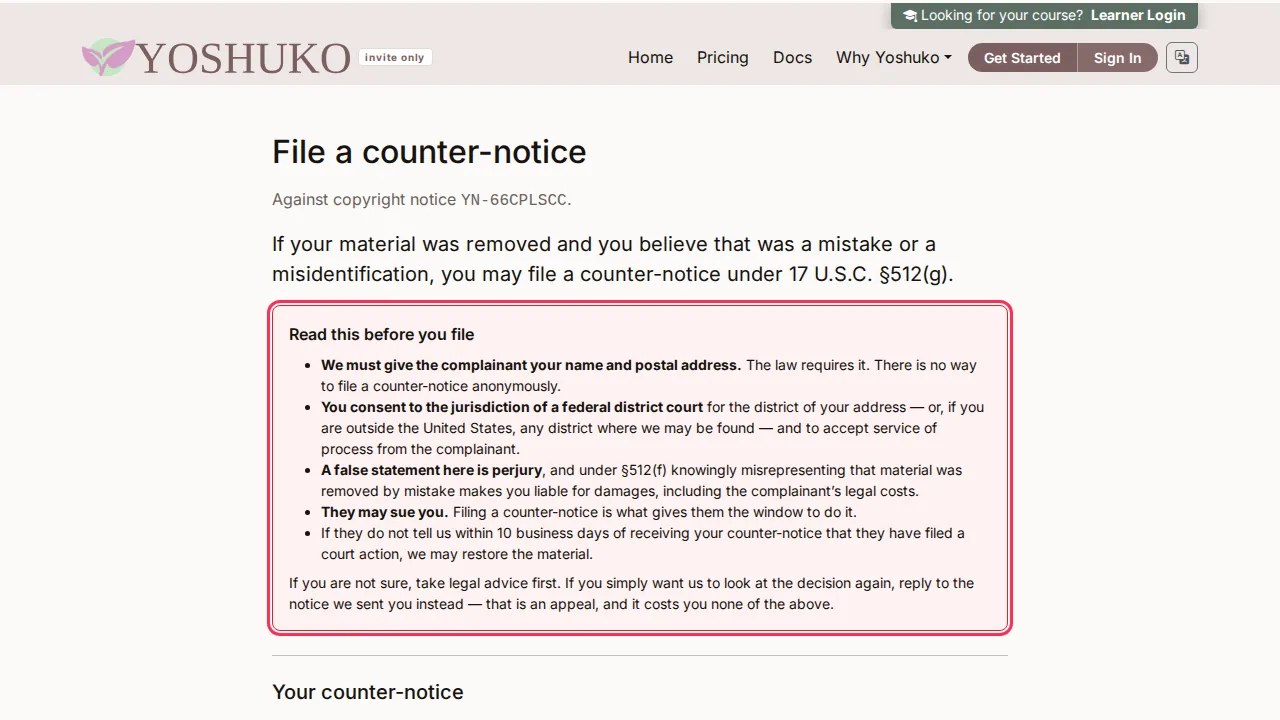
- Fill in Your full legal name, Email address, Telephone number,
Postal addressand What was removed, and where it was. You can add Why you believe the removal was a mistake. - Check the statement that you are acting honestly (made knowing that a false statement is perjury) and the statement that you agree to the power of the federal court. Both are required.
- Type your full name as your electronic signature.
- Press File this counter-notice. You are given a reference.
Know what you may publish, and what happens if you break the rules
The Acceptable Use Policy, linked from the Terms of Service, lists what may not be published or done on Yoshuko and what can happen when it is. Two sections are worth knowing:
-
4. Repeat infringers: an account with three copyright complaints that were found to be right, within twelve months, is closed. Each one stops counting after twelve months, and is removed if the complaint is taken back or a counter-notice against it succeeds.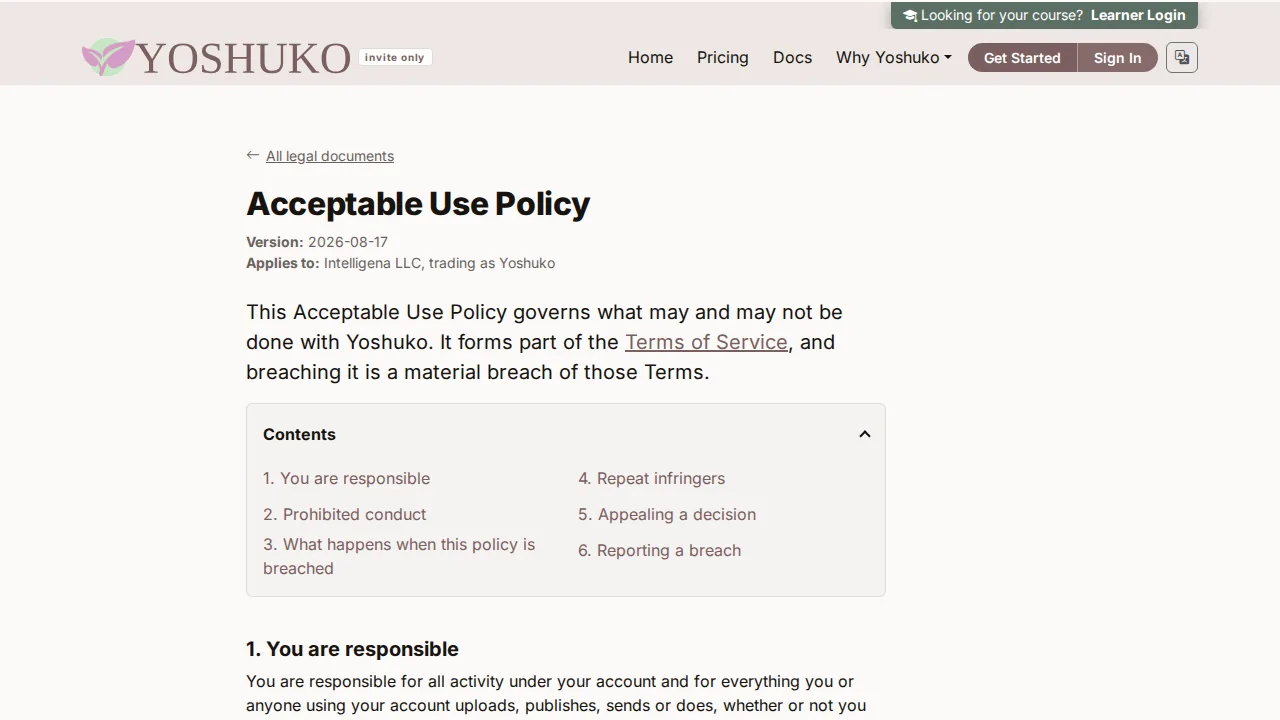
-
5. Appealing a decision: if content was removed, a feature was limited or your account was stopped for a time and you think that was wrong, write to the legal address within 30 days. Give any reference you were given and say why. When material was removed because of copyright, the counter-notice is the way that can get it put back.
If something goes wrong
| You see | What it means | What to do |
|---|---|---|
| We cannot act on this notice unless you make this statement. | A required statement isn't checked. | Check it and send the form again. |
Give at least one URL identifying the material. |
Where the material is on this site is empty. | Add at least one full web address (a URL). |
A copyright notice must include your postal address. (or telephone number) |
Copyright notices need both. | Fill in the missing field. |
| We could not record that just now. Please try again. | Your agreement to the changed terms wasn't saved. | Press I agree to the updated terms again. |
| Remind me next time isn't there | You've already put this change off once. | Agree, or close the page (see above). |