Activity record and webhooks
The Audit log is an activity record that lasts for ever. It shows the important changes made in your
organisation — who did what, and when. Webhooks send a signed message to a web
address you choose the moment one of those things happens, so your own systems can
react. Reading the record takes a minute; adding an endpoint (the address that gets the messages) takes about five.
Before you start
Read the activity record
In the creator studio's left-hand menu, choose Organization, then press View
on the Audit log card. Entries are listed
newest first, with When, Action, Who and What changed — for example,
a Course published entry names the person who published it and shows what
changed.
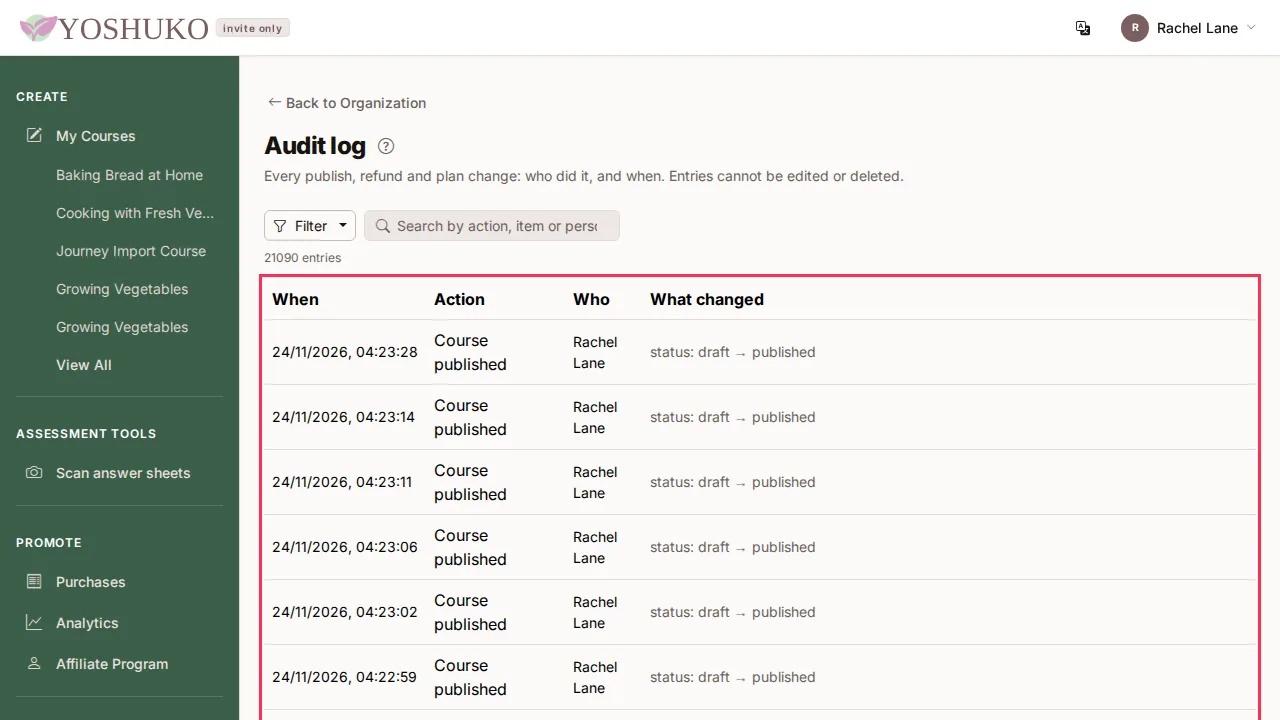
- Entries last for ever: nothing in the record can be changed or removed.
- Actions taken by Stripe or by a job that runs at a set time are shown as System.
- To make the list shorter, type in Search action target or person, or press
Filter, choose Action and check the kinds of action you want.
The record keeps these actions: Course published, Course unpublished,
Course archived, Enrolment refunded, Plan changed, Stripe Connect
enabled, Custom domain verified, Certificate issued, Certificate revoked,
Catalog subscription started, Catalog subscription canceled,
Catalog subscription plan changed, Team invite code created, Member joined,
Discussion topic pinned, Discussion topic unpinned, Discussion topic
locked, Discussion topic unlocked, Discussion topic removed and
Discussion reply removed.
A course that is archived has been put away (archive); a refunded one had its money given back (refund); a subscription is a plan paid every month or year (subscription).
Add a webhook endpoint
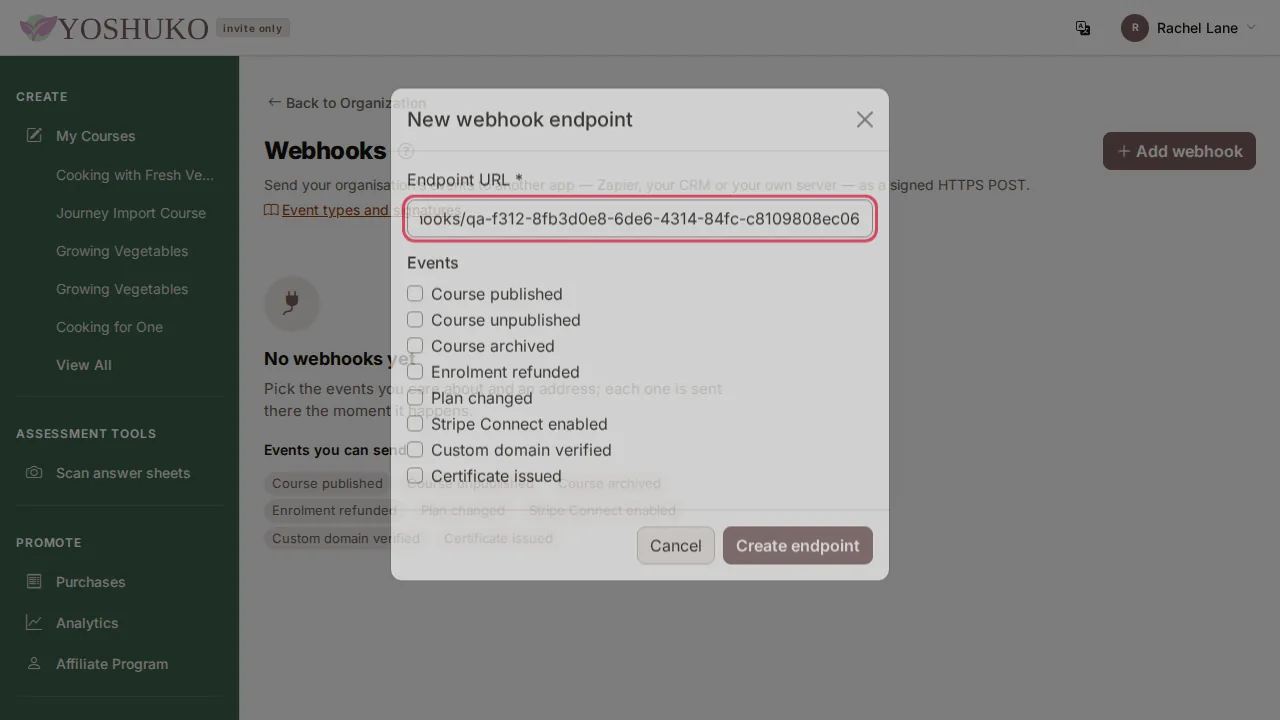
- In the left-hand menu, choose Organization, press Manage on the Webhooks card, then press New endpoint.
- Enter the Endpoint URL — for example
https://example.com/webhooks/yoshuko. It must be a publichttpor HTTPS address. -
Under Events, check each event you want sent to it. An endpoint only receives the events checked here:
Event Sent when Event name Course published a course is published course.publishedCourse unpublisheda course is taken off the site course.unpublishedCourse archived a course is archived course.archivedEnrolment refundeda learner gets their money back for a purchase enrollment.refundedPlan changed your organisation's Yoshuko plan changes org.plan_changedStripe Connect enabled your organisation can accept payments org.connect_enabledCustom domain verifiedyour own domain starts showing your storefront org.domain_verifiedCertificate issued a learner is awarded a certificate certificate.issued -
Press Create endpoint.
- The Copy your signing secret now window shows the endpoint's Secret. This is the only time it is shown. Press Copy, keep it safe, and press I've copied it.
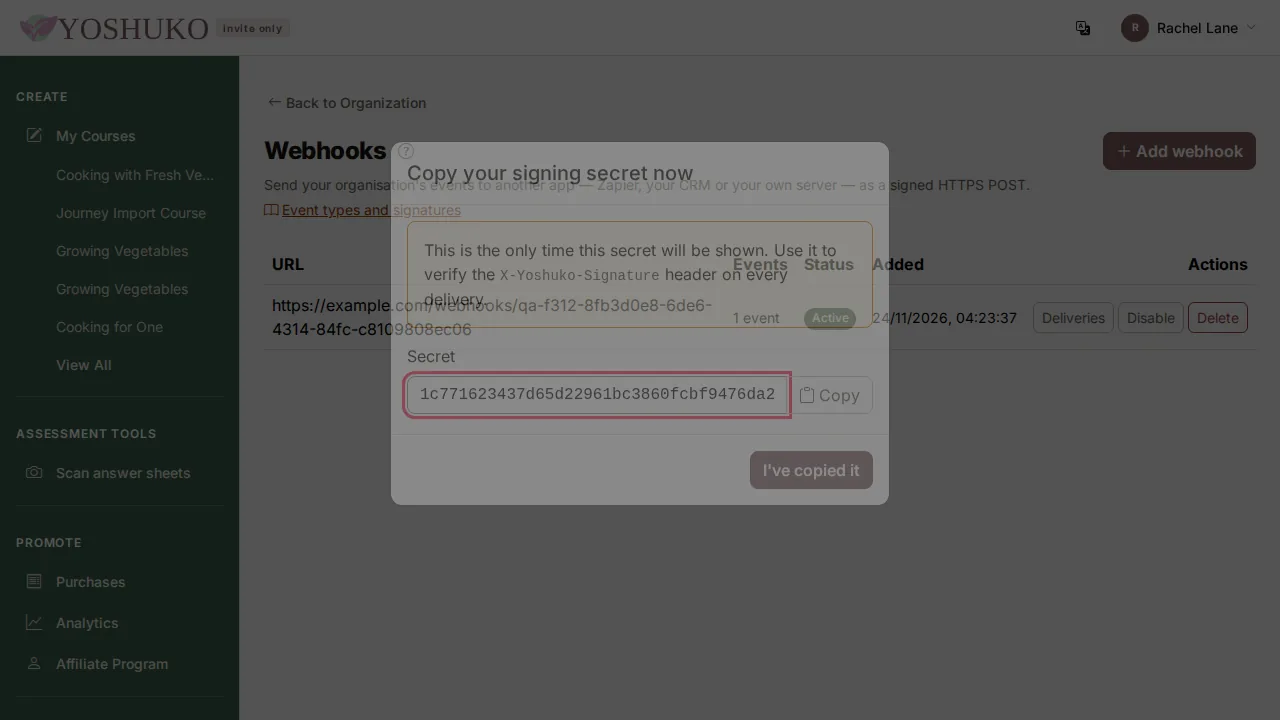
If you lose the secret
It cannot be shown again. Remove the endpoint and create a new one.
What a delivery looks like
Each delivery is a POST request sent over the web (HTTP) to your URL. Its body is written in JSON and describes the event,
and it has these headers:
| Header | Contains |
|---|---|
Content-Type |
application/json |
X-Yoshuko-Event |
the event name, for example course.published |
X-Yoshuko-Signature |
t=<unix timestamp>,v1=<signature> |
Reply with any 2xx status to confirm you received it. Anything else, or no answer,
counts as a failure.
Check that a delivery really came from Yoshuko
The signature is made with HMAC-SHA256, using your endpoint's secret as the key, from the
time number t, a full stop, and the raw request body exactly as received. It is written as a hex string:
HMAC_SHA256(secret, "<t>." + body). Compare it with v1, and refuse messages whose
time t is more than five minutes old, so that a person who catches a message on the way cannot send it to you again later.
import hashlib
import hmac
import time


def is_from_yoshuko(secret: str, signature_header: str, raw_body: bytes,
                    tolerance_seconds: int = 300) -> bool:
    """True if raw_body was signed by Yoshuko with this endpoint's secret."""
    parts = dict(
        chunk.split("=", 1) for chunk in signature_header.split(",") if "=" in chunk
    )
    try:
        timestamp = int(parts["t"])
        received = parts["v1"]
    except (KeyError, ValueError):
        return False
    if abs(time.time() - timestamp) > tolerance_seconds:
        return False
    expected = hmac.new(
        secret.encode(), f"{timestamp}.".encode() + raw_body, hashlib.sha256
    ).hexdigest()
    return hmac.compare_digest(expected, received)
Always check against the raw body, exactly as it arrived. If you read the JSON and then write it out
again, the spaces or the order of the keys can change, and the signature will no longer match.
Watch deliveries, and send a failed one again
In the endpoints table (URL, Events, Status, Added), press
Deliveries on an endpoint's row. The panel lists each delivery with When,
Event, Status (Pending, Delivered or Failed), Attempts and
Last response.
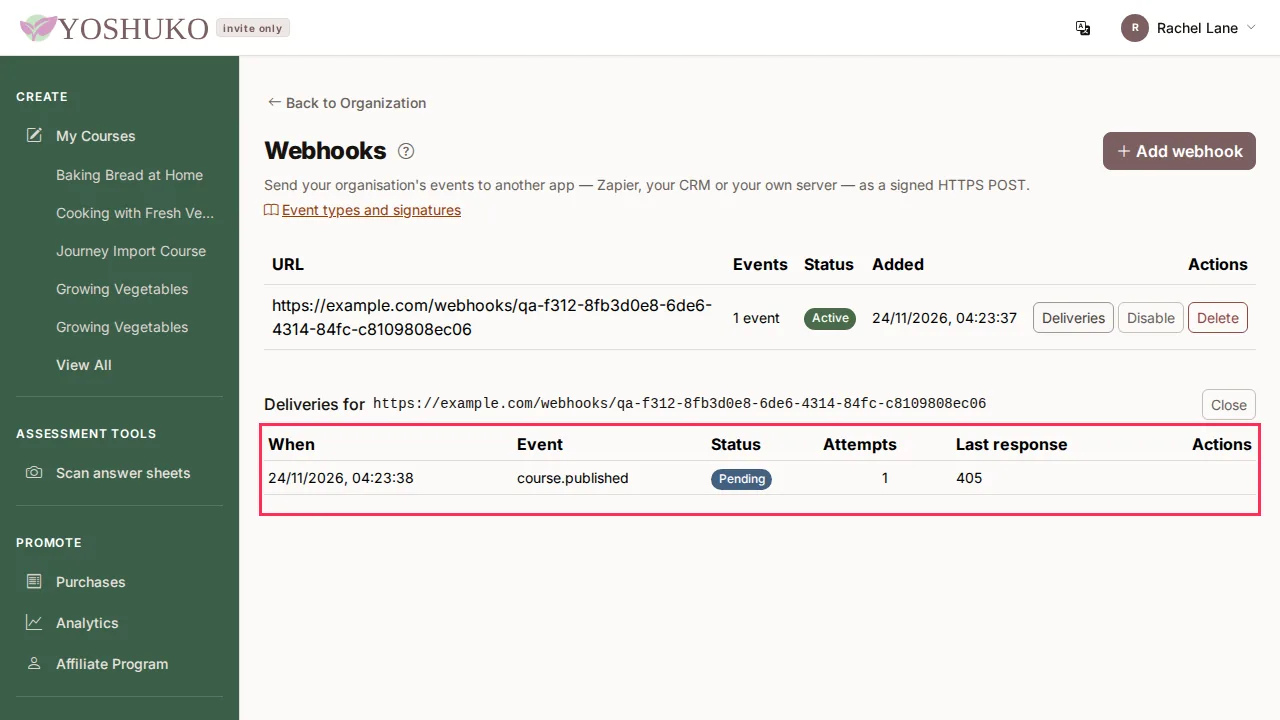
A failed delivery is tried again automatically up to 5 times, with longer waits between
attempts. After that it stays Failed until you press Redeliver on its row.
Pause or remove an endpoint
- Press
Disableto stop sending to an endpoint without removing it; its status becomesDisabled. Press Enable to start again. - Press
Delete, thenDelete endpoint. It stops receiving events immediately, and you cannot get it back.
If something goes wrong
| You see | What it means | What to do |
|---|---|---|
| No recorded actions yet | Nothing that the record keeps has happened yet — publishing a course, refunding a learner or changing your plan will appear here. | Nothing. |
No actions match your filters. |
Entries exist, but your search or your choice of actions hides them all. | Clear the search box or the choice. |
| No webhook endpoints yet | You have not added one. | Press New endpoint. |
The endpoint URL must be http or https. or That does not look like a valid endpoint URL. |
The address is not a web URL. | Enter a full address starting with https://. |
| That endpoint host could not be resolved. | The domain name does not exist, or cannot be reached from the public web. | Check the spelling. |
That endpoint address is not eligible to receive webhook deliveries. |
The address points at a private network, inside a company or a home. | Use an address that can be reached from the public web. |
| A delivery marked Failed | Your server did not answer with a 2xx status after all the tries. Last response shows what it did answer. |
Fix your server, then press Redeliver. |
| Your code refuses every delivery as not signed | The body was changed before you checked it, the secret is wrong, or your server's clock is wrong by more than five minutes. | Check the raw body with the exact secret you copied, and check your clock. |
Related
- Analytics (analytics are numbers and charts about your site)
- Payments, plans and coupons (a coupon is a code for a lower price)
- Storefront and your own domain
- What the API can do (the API lets your own programs talk to Yoshuko)