数据分析
The Analytics page (analytics means numbers and charts about your site) shows how your organisation's courses are doing: revenue, how many learners joined, refunds, and how far learners got, across every course and course by course. It takes a minute to read.
Before you start
- You need to be a member of the organisation in the creator studio.
- Numbers appear once learners start joining your courses.
查看你的控制台
- 在创作者工作室左侧菜单中,选择 数据分析。
- 选择一个 时间范围:最近7天、最近30天(如果你没选则显示)、 最近90天 或 全部时间。页面会重新加载以适应该范围。
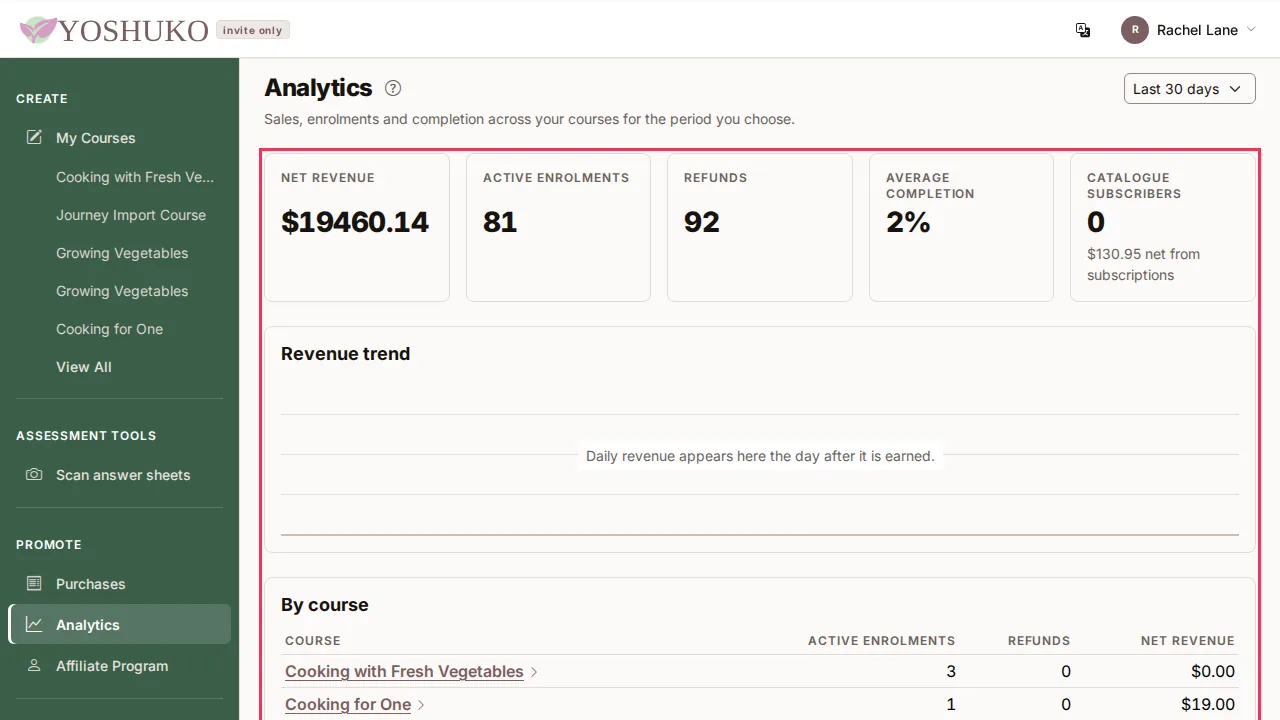
页面显示:
| Figure | What it is |
|---|---|
| Net revenue | What your courses earned in the range, after refunds. It includes subscriptions to your full list of courses. |
Active enrollments |
Learners who have joined a course and are in it now. |
| Refunds | Purchases where the money was given back. |
Avg. completion |
How far, on average, learners have got through your courses. |
Catalogue subscribers |
People paying for your whole list of courses rather than one course. Their money belongs to no single course, so it appears here and in Net revenue, but not in the per-course table. |
| Revenue trend | A chart of daily net revenue. |
| Per-course table | Course, Active enrollments, Refunds and Net revenue for each course. |
今日活动明天显示
收入趋势 图表每晚重新生成一次。如需查看实时销售列表,请参阅 购买记录 —— 详见 Payments, plans and coupons(coupon 是折扣代码)。
如果出现问题
| You see | What it means | What to do |
|---|---|---|
No activity yet — Once learners start enrolling in your courses, their activity will appear here. |
Nobody has joined yet. Nothing is wrong. | Share your course listing or add learners. |
No daily trend data yet — the overnight rollup has not run for this range. |
The trend chart has not been built for this range yet. | Check back tomorrow, or choose a longer Time range. |
| Your analytics could not be loaded. | The dashboard did not load. | Press Try again. |
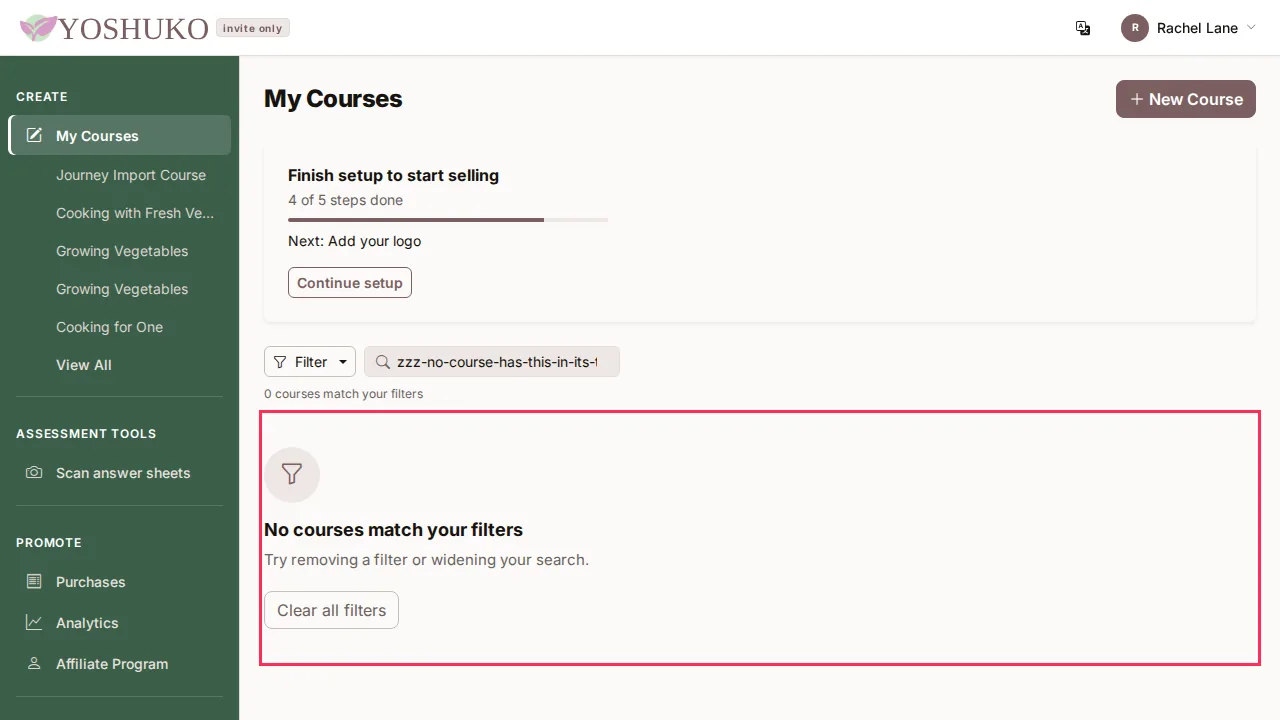
No courses match your filters on My Courses |
Your courses are there, but the search or the choices you made to limit the list hide them all. It is different from Ready to share your expertise?, which means you have no courses yet. |
Press Clear all filters. |
相关内容
- 付款、计划和优惠券
- 活动记录和 Webhooks(一个 Webhook 是发送到你自己系统的消息)
- 组织课程